
Continue watching
Opens where you left off.

Version 1.0.26 · updated 28 Oct 2026
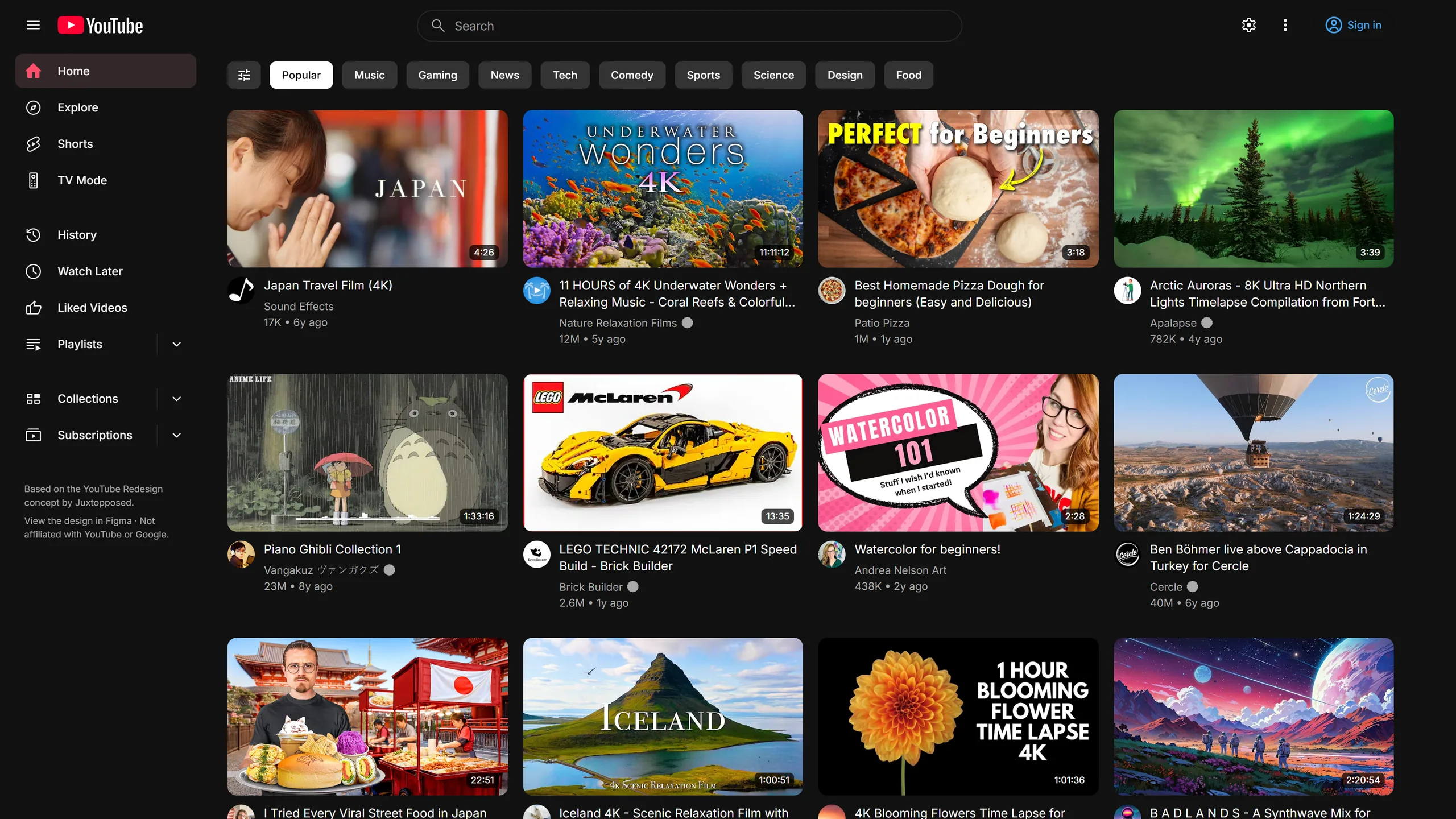
YouTube, redesigned. A calmer, roomier YouTube with TV Mode, grid and list views, organised subscriptions and one-key clean-up.
Chrome, Brave, Edge and Arc · 629 KiB · No tracking
Based on the YouTube Redesign concept by Juxtopposed (Figma file).
Freeto add to Chrome
v1.0.26updated 28 Oct 2026
629 KiBdownload size
18 languagesright-to-left Arabic too
1 permissionstorage, nothing more
No accountand no tracking
No ratings or reviews yet. It's new, so these are the facts instead.
It's free from the Chrome Web Store, and it works in Chrome, Brave, Edge and Arc.
It's your own account, with the same subscriptions, recommendations and history.
Every feature has its own toggle in the popup. You can switch the whole redesign off in one click.
Part one
These are things YouTube doesn't do at all, starting with the big one.
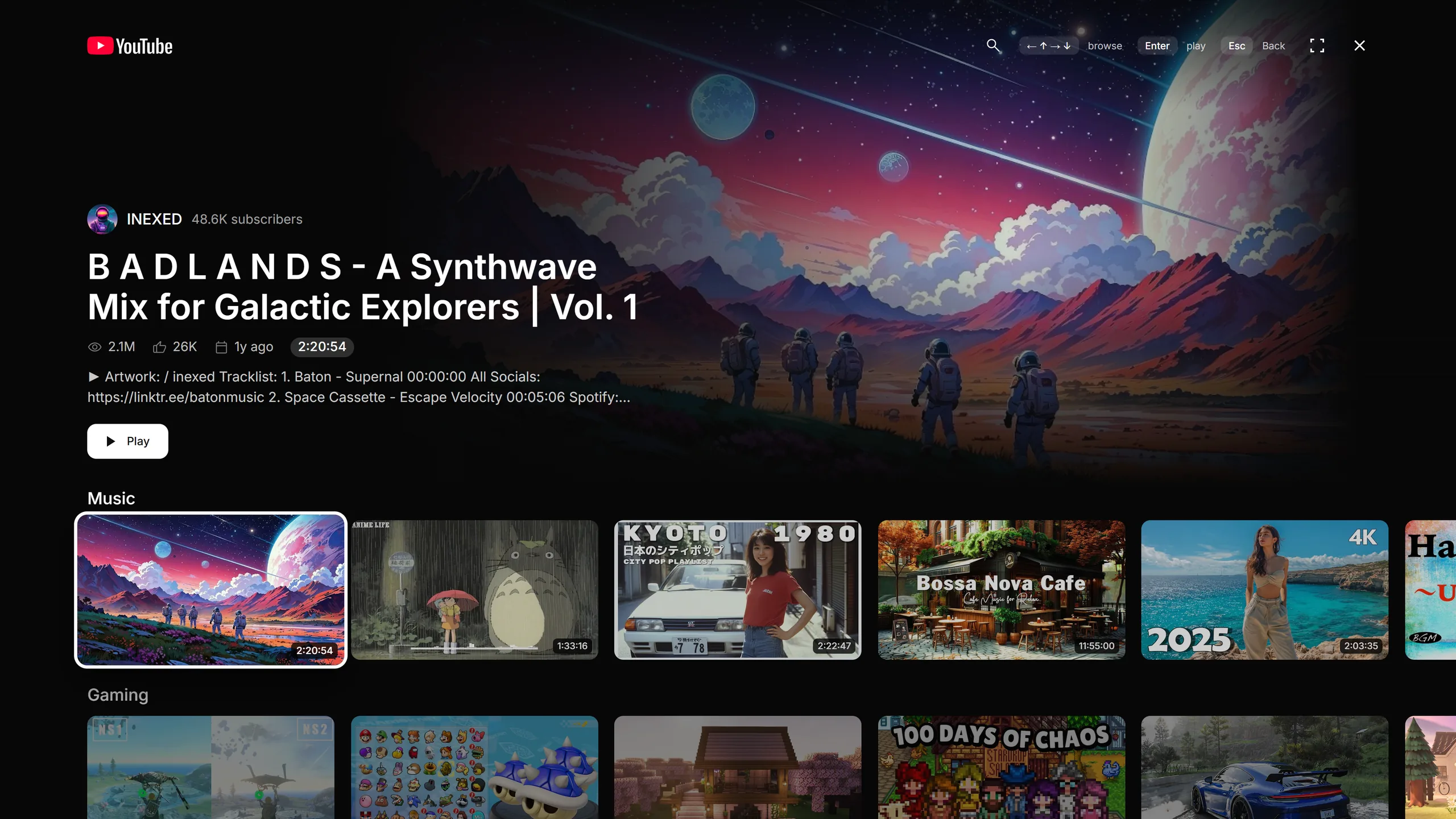
Only in Reframe · TV Mode
Full-screen, lean-back YouTube you drive from the keyboard or a controller.
Opens where you left off.
A countdown plays the next one.
An on-screen keyboard and TV shelves.
Videos load ahead, so play is instant.
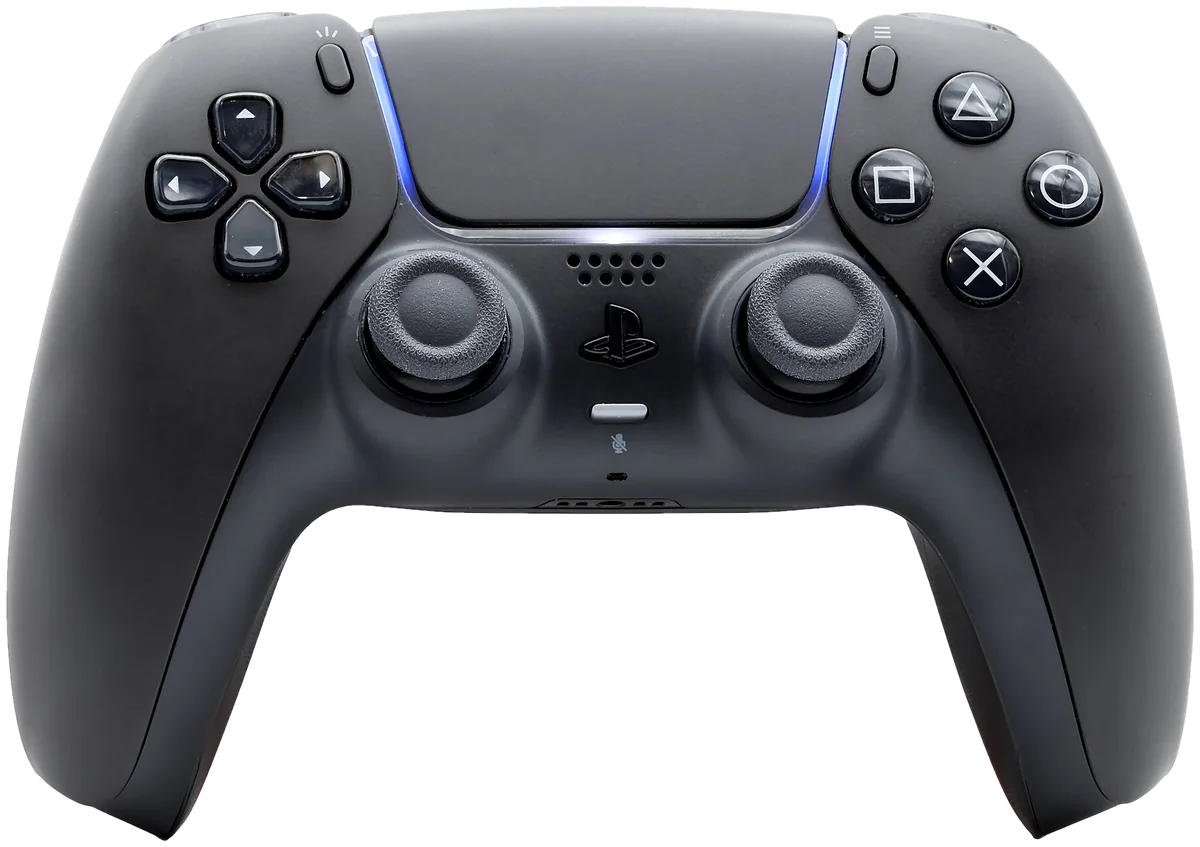
Console shows Xbox buttons; Switch Pro uses the buttons in the same places. PlayStation and DualSense are trademarks of Sony Interactive Entertainment.
Only in Reframe · Layouts
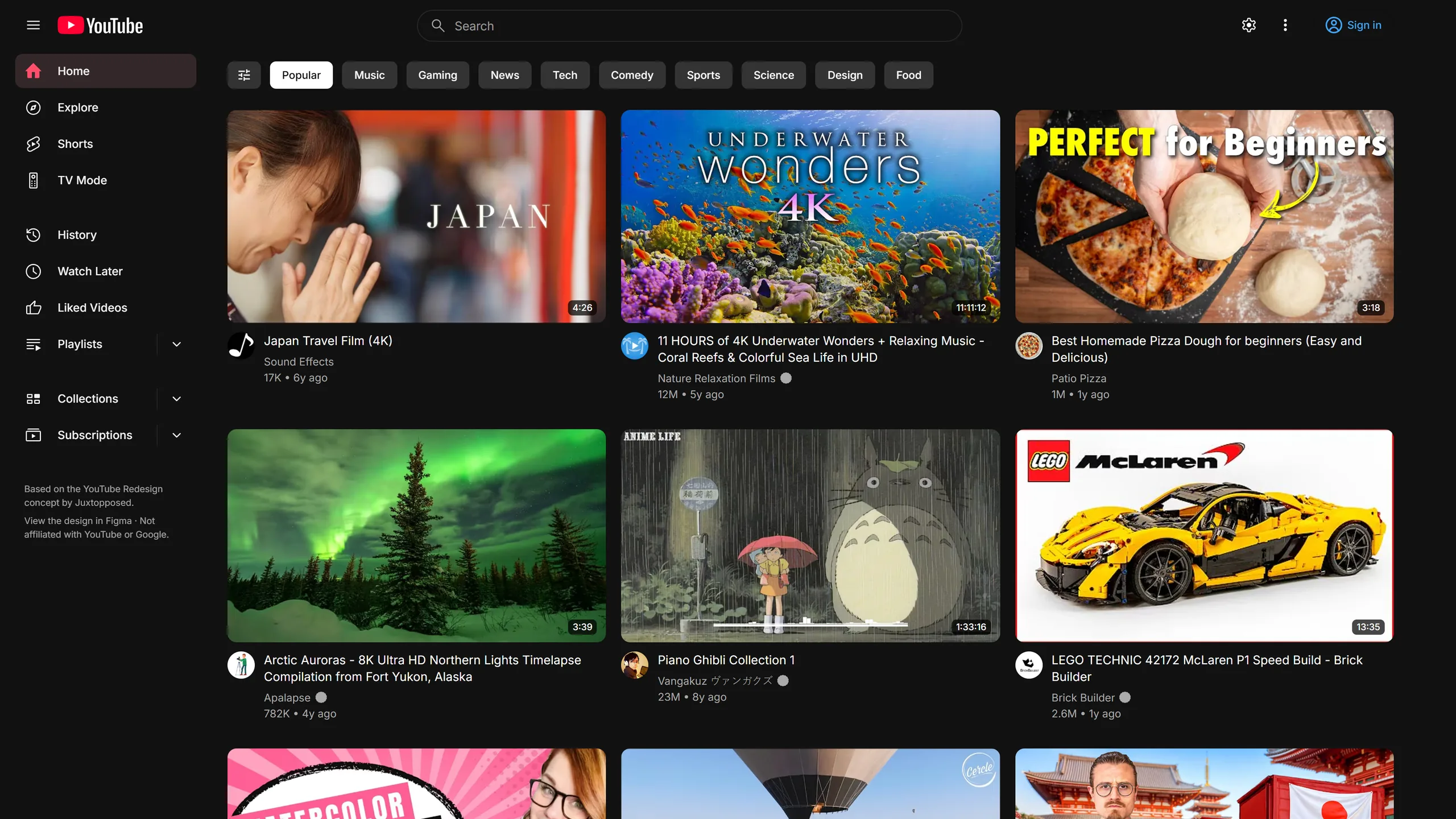
Keep the full sidebar, fold it into an icon rail or hide it, so the feed gets the room. On the watch page, Focus leaves only the player.
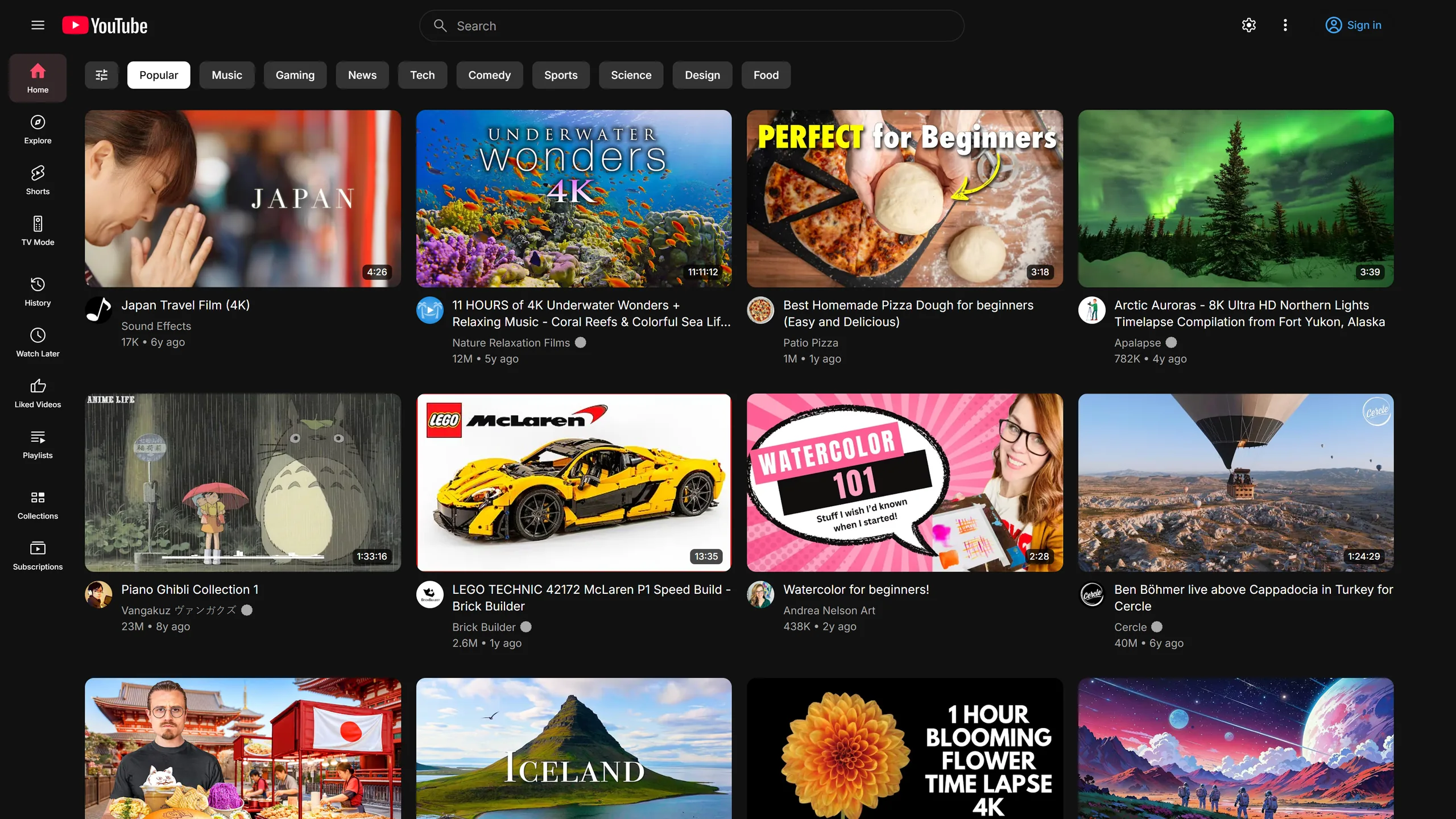
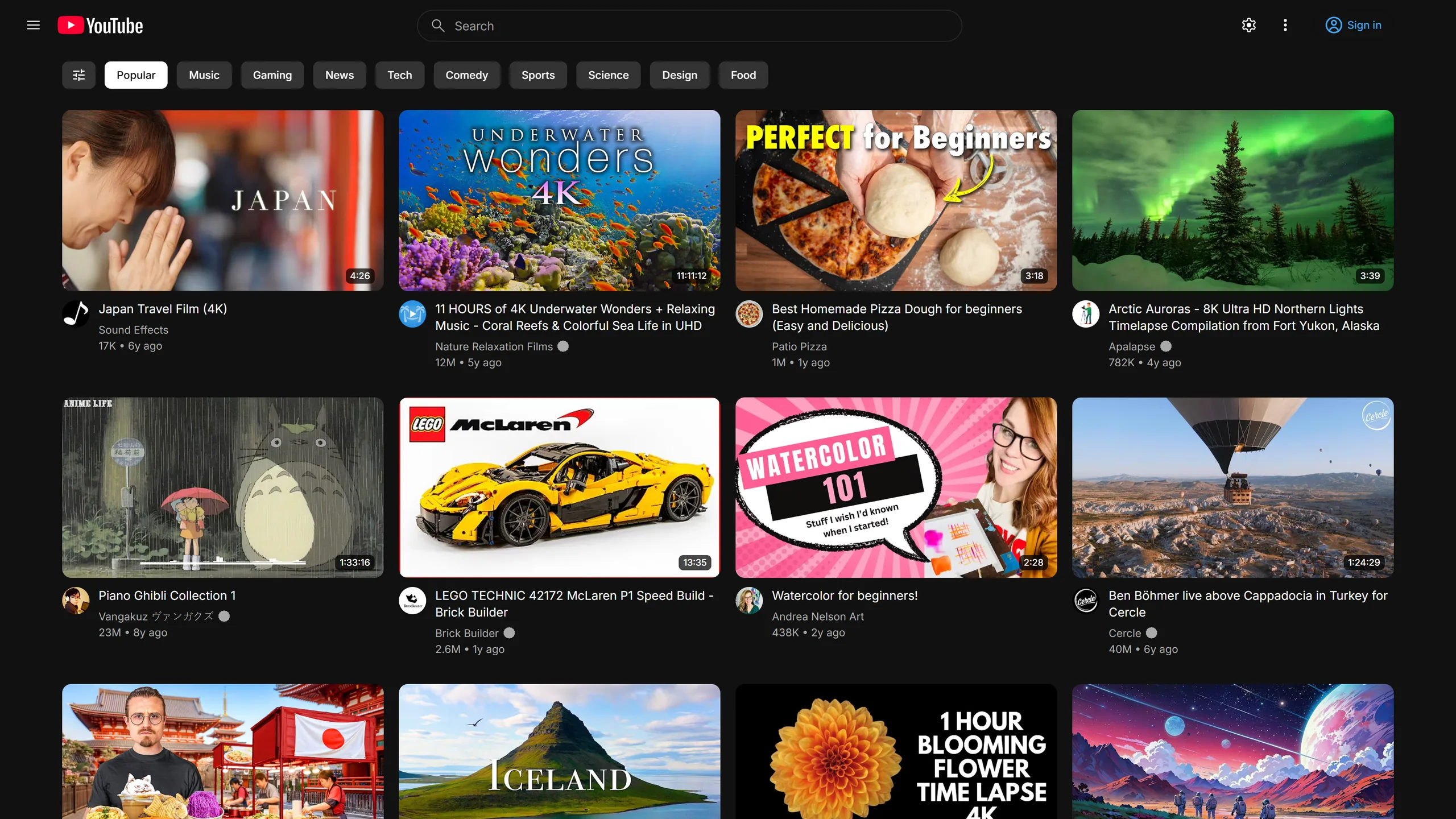
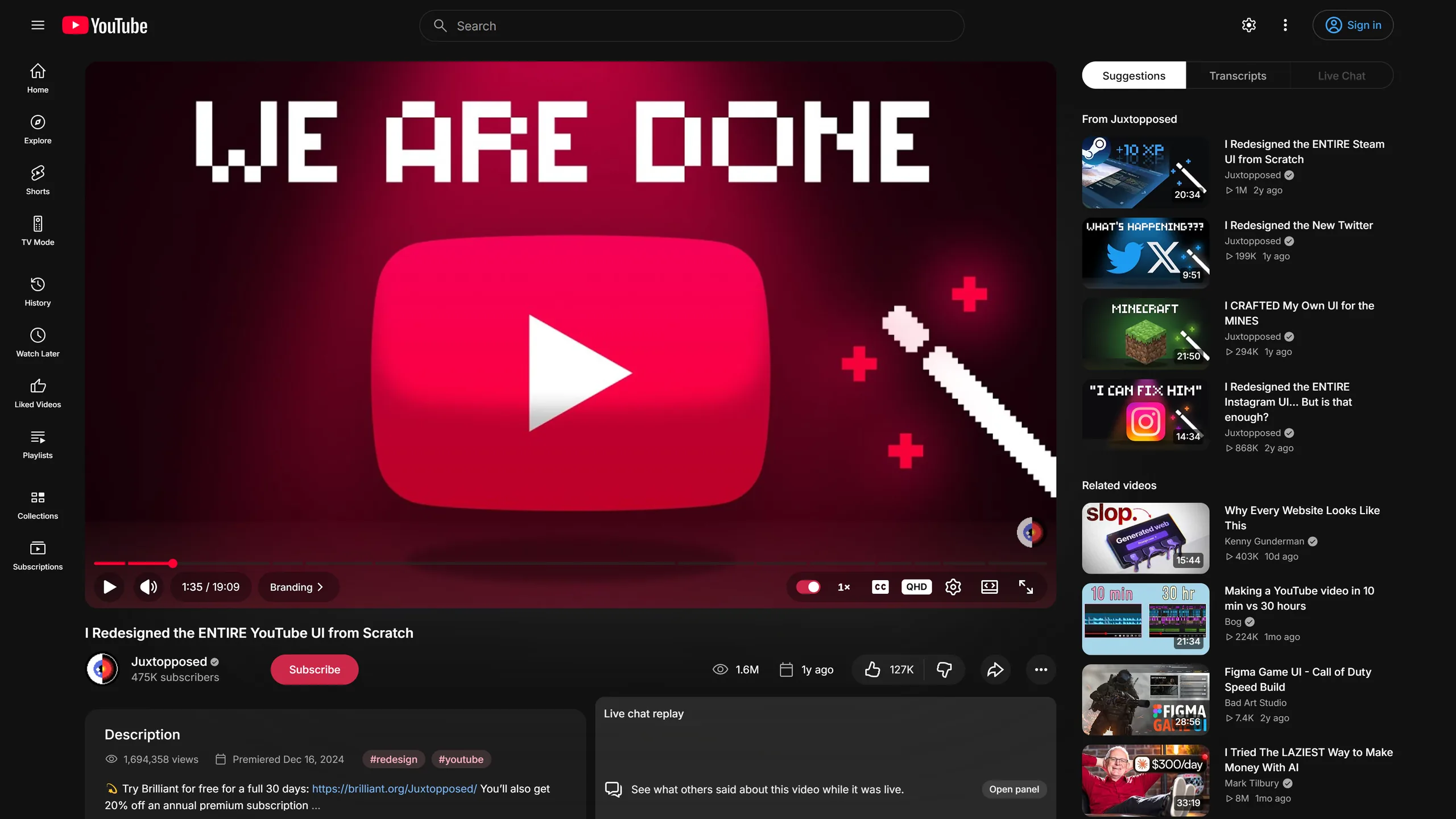
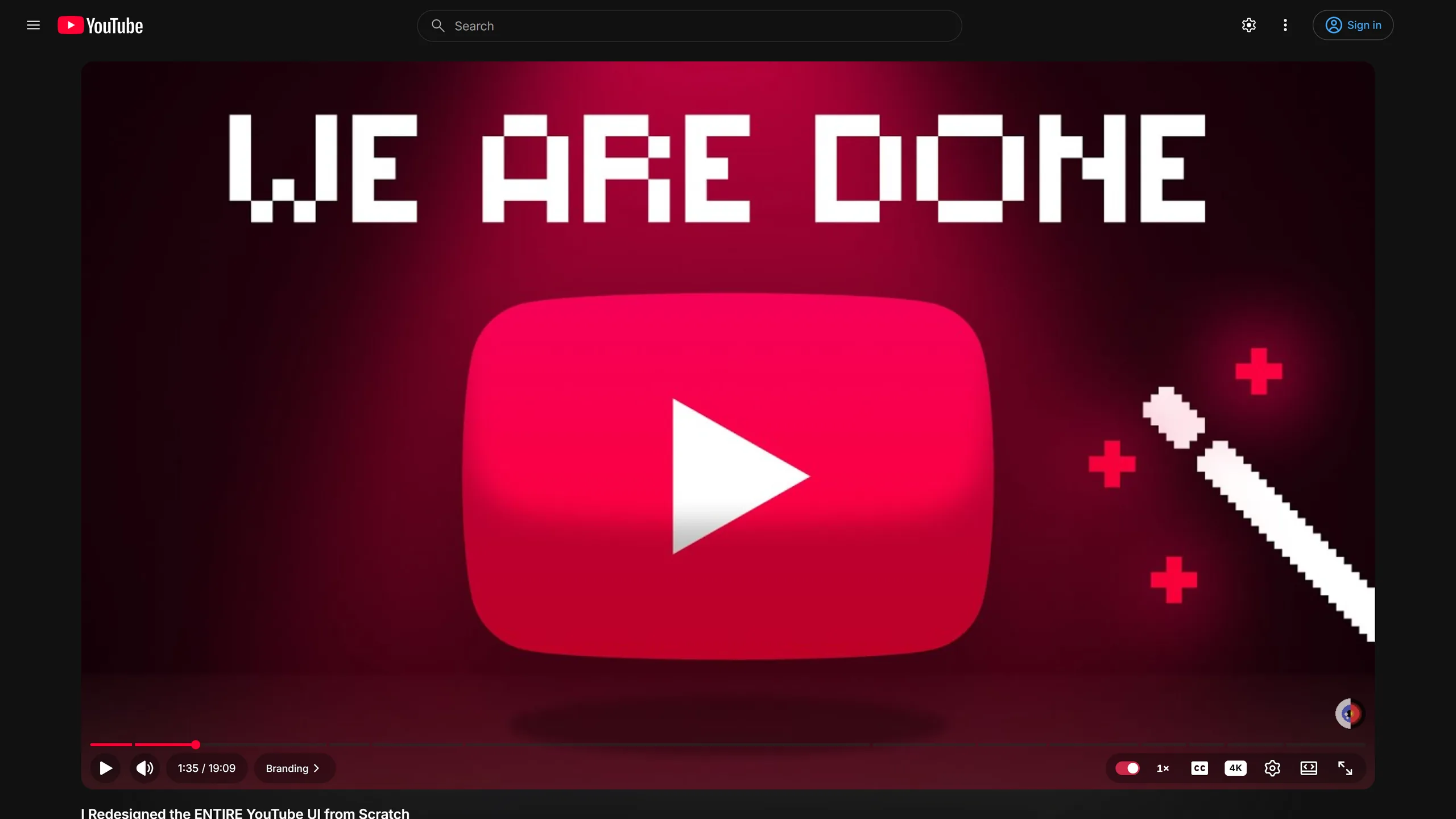
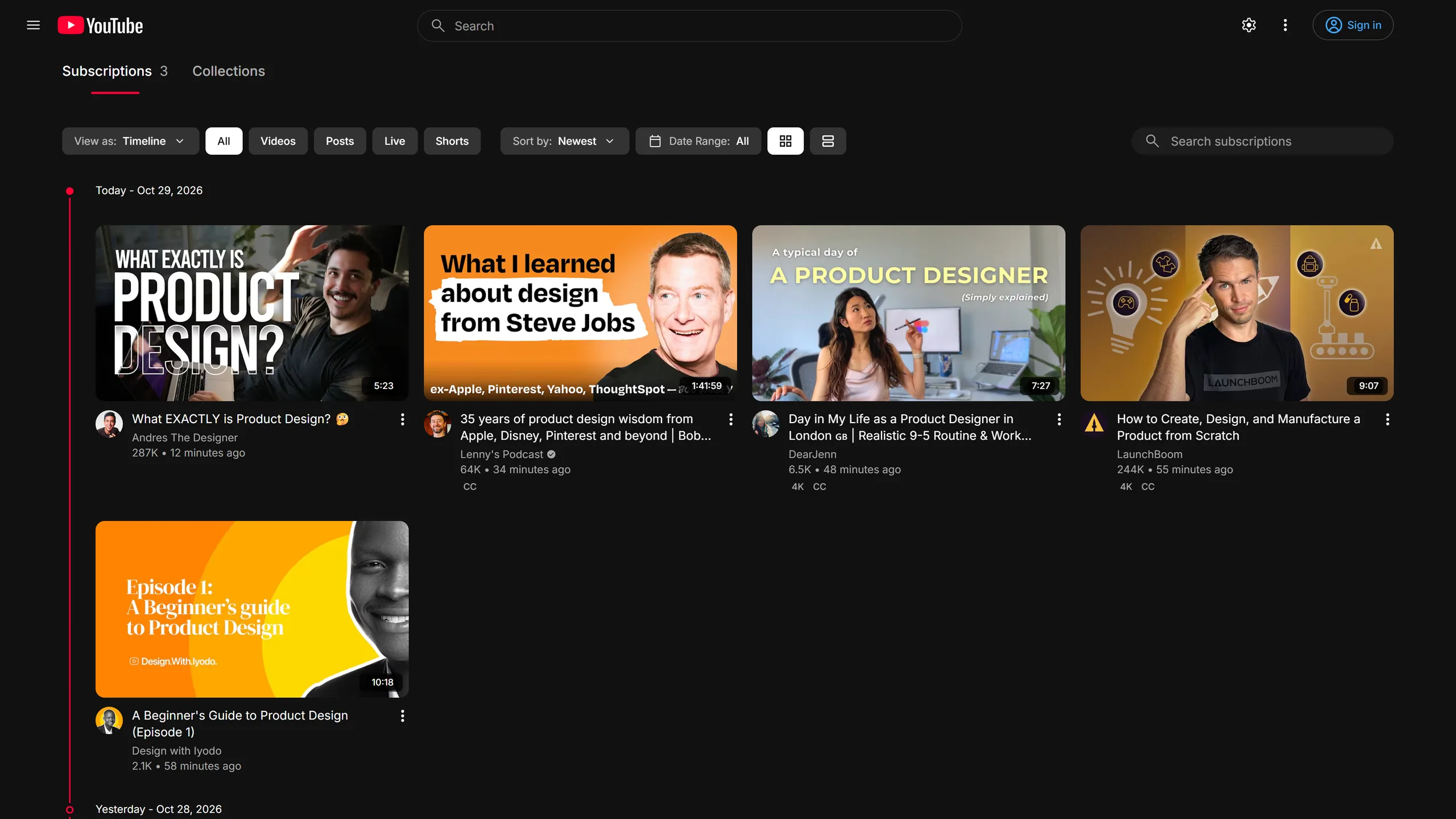
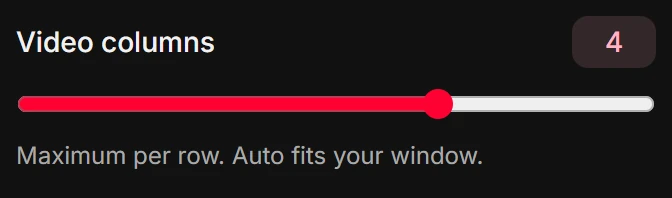
Choose Auto or 1 to 6 videos per row in the popup, under Feeds. The change applies live, with no reload.
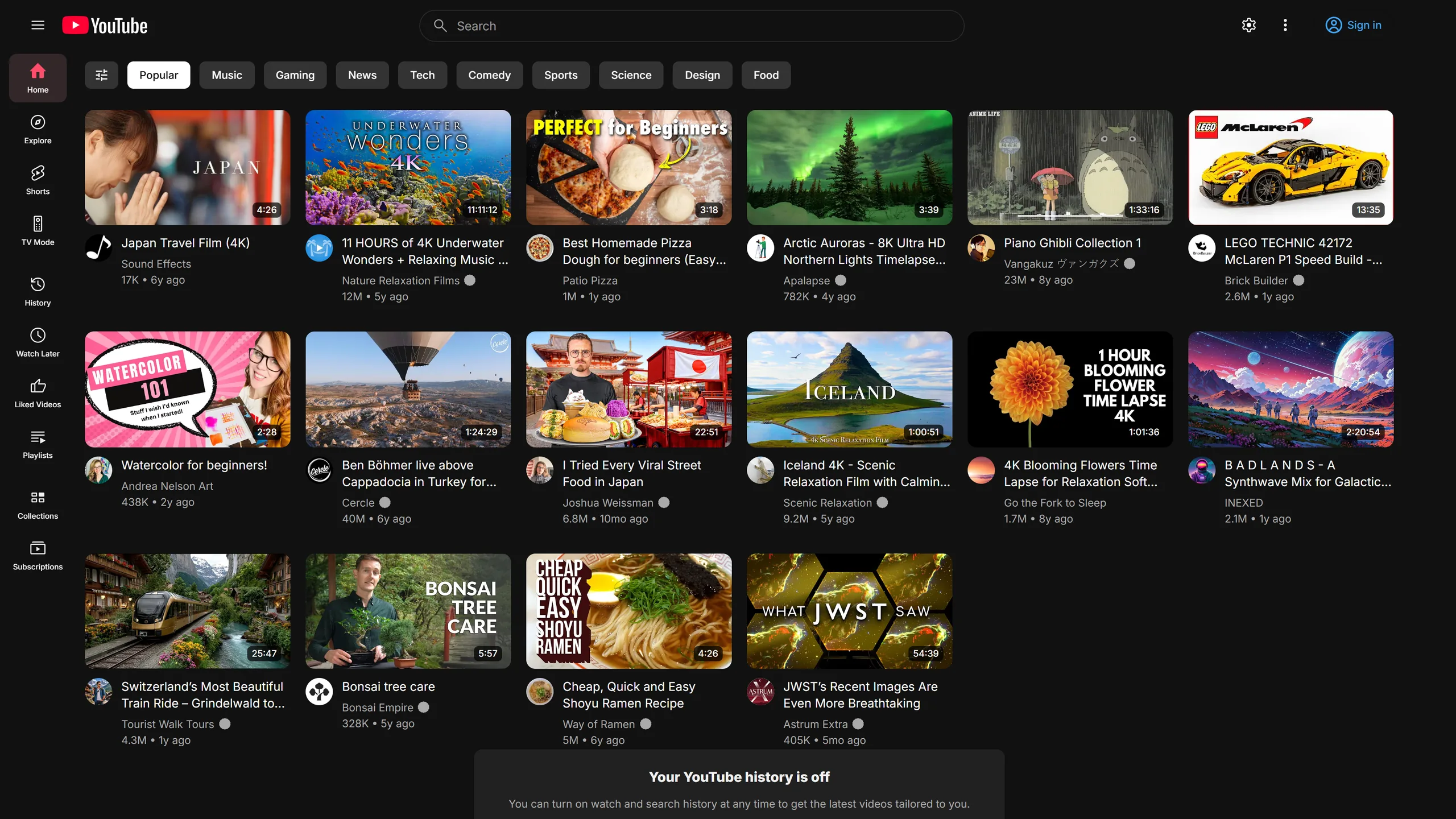
Only in Reframe · Views
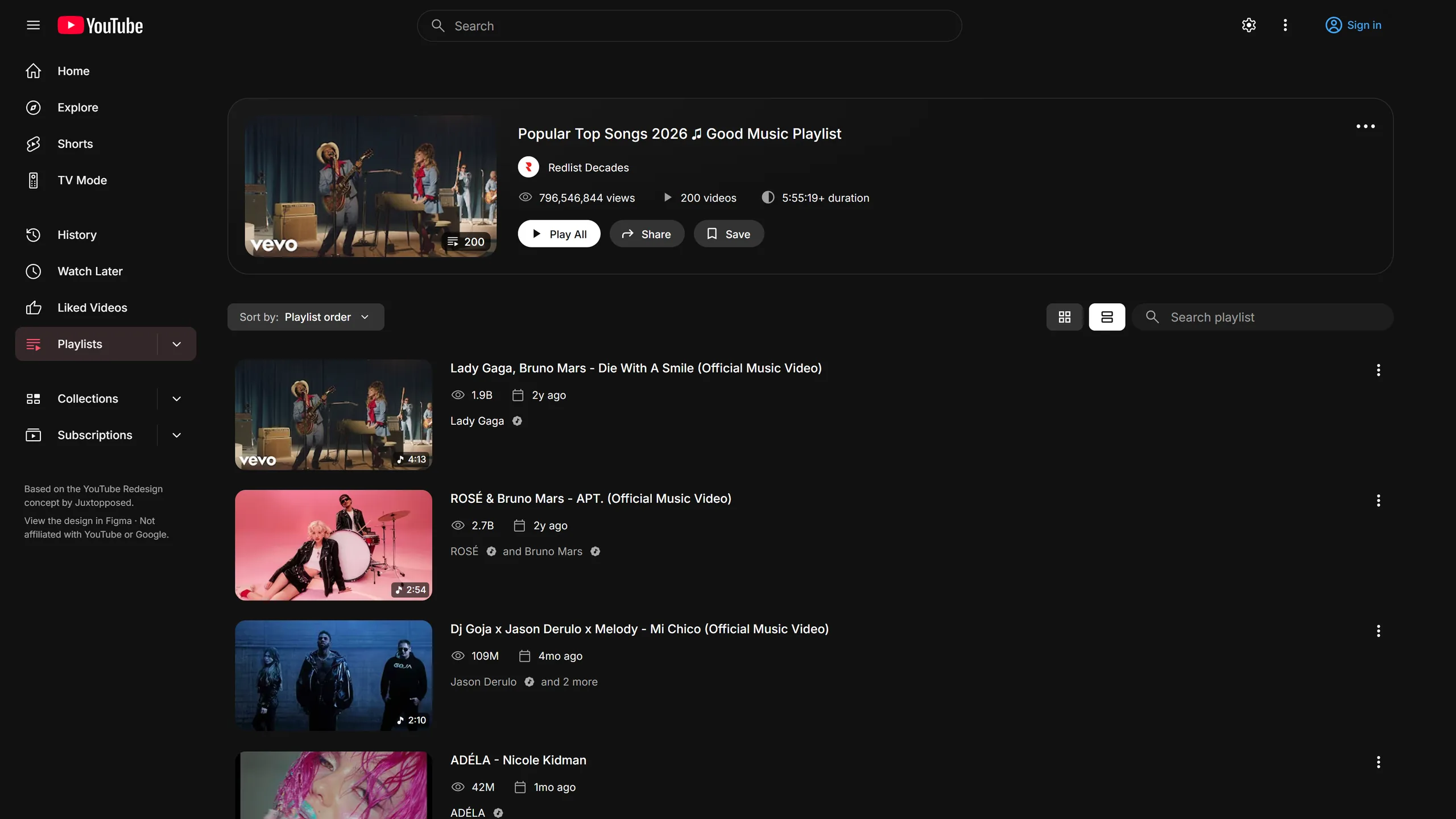
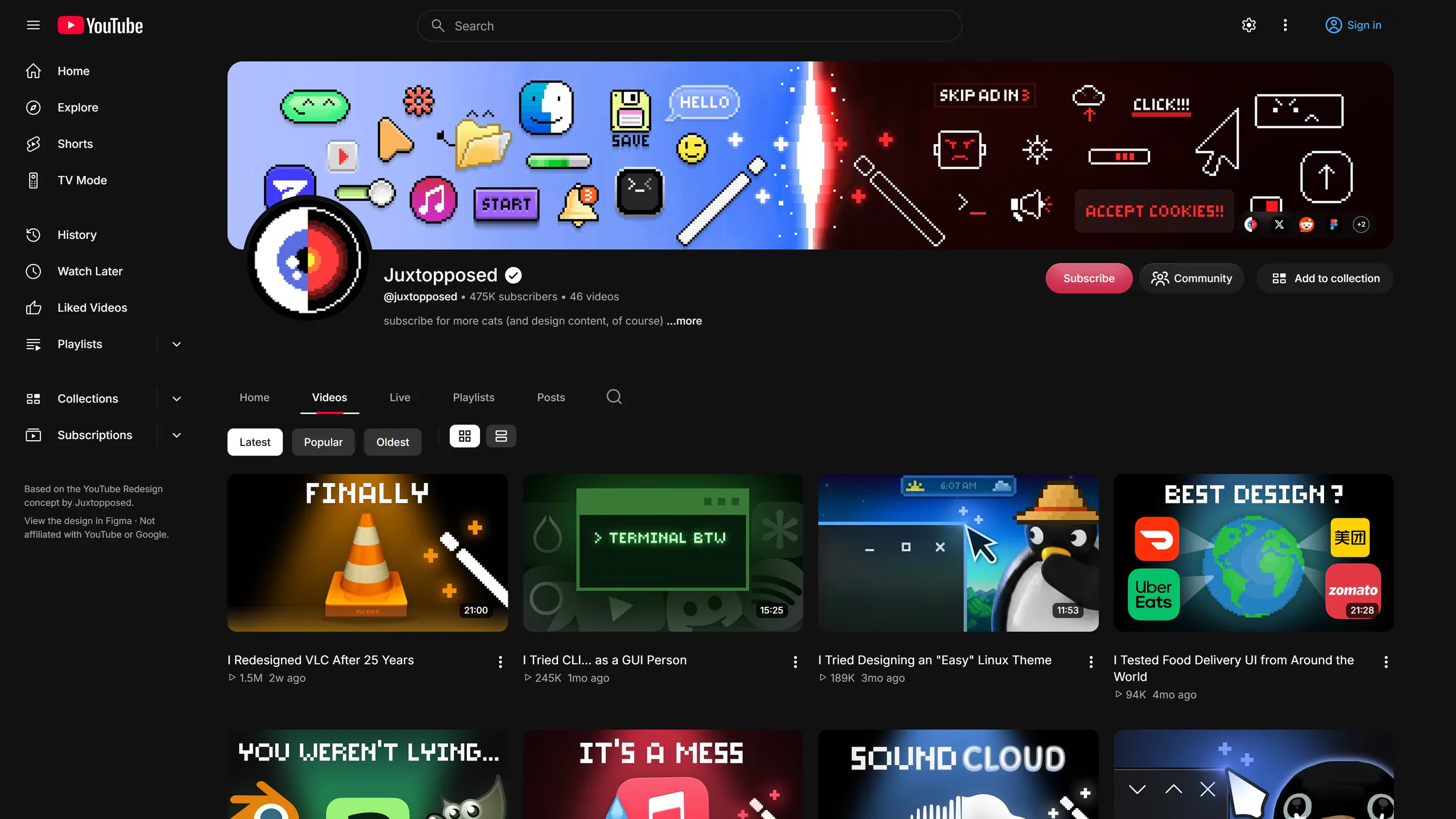
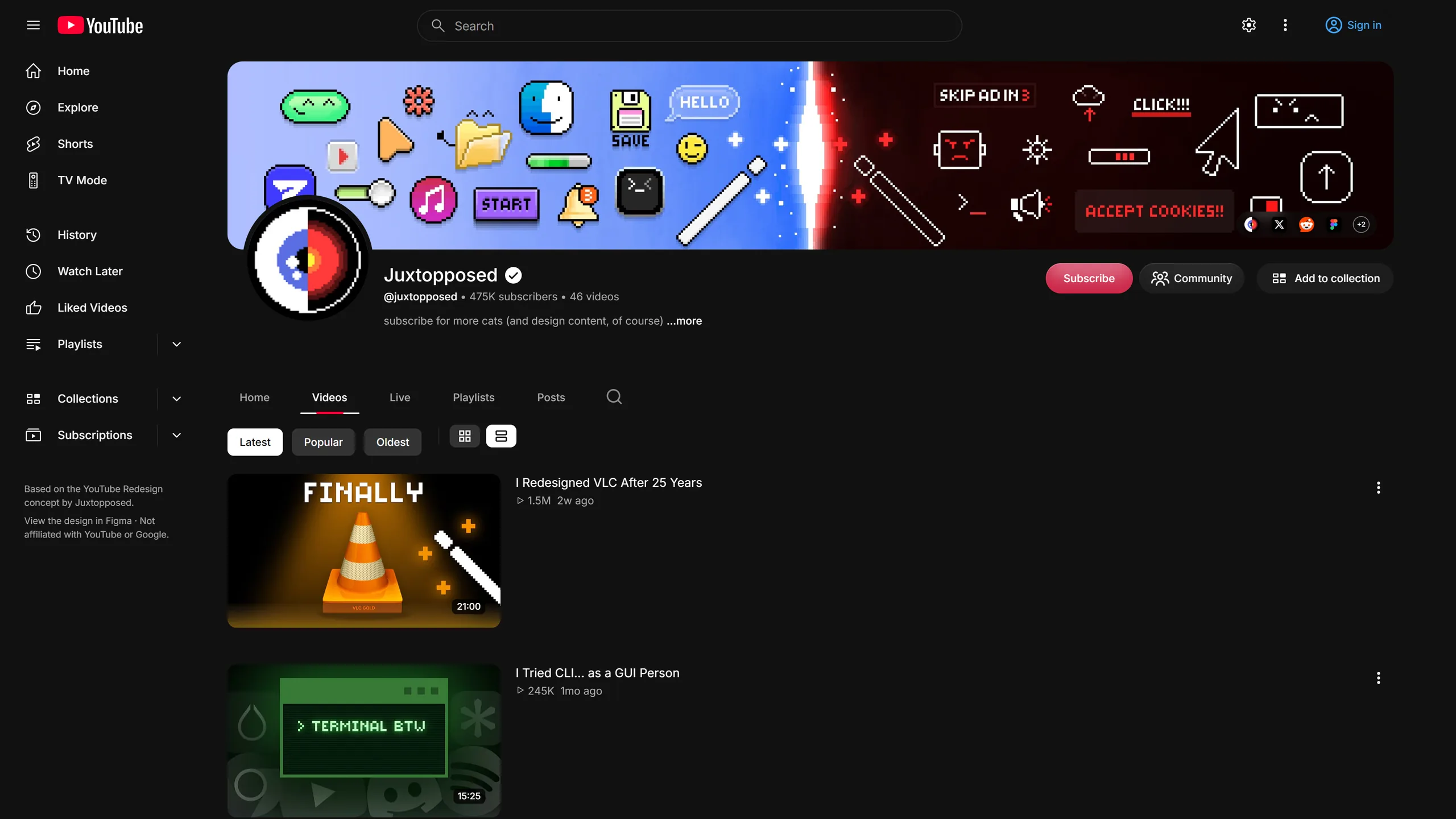
Use a grid when you're browsing and a list when you're reading titles. You can switch views in search, playlists (Watch Later included), channel videos, subscriptions and the playlists library.
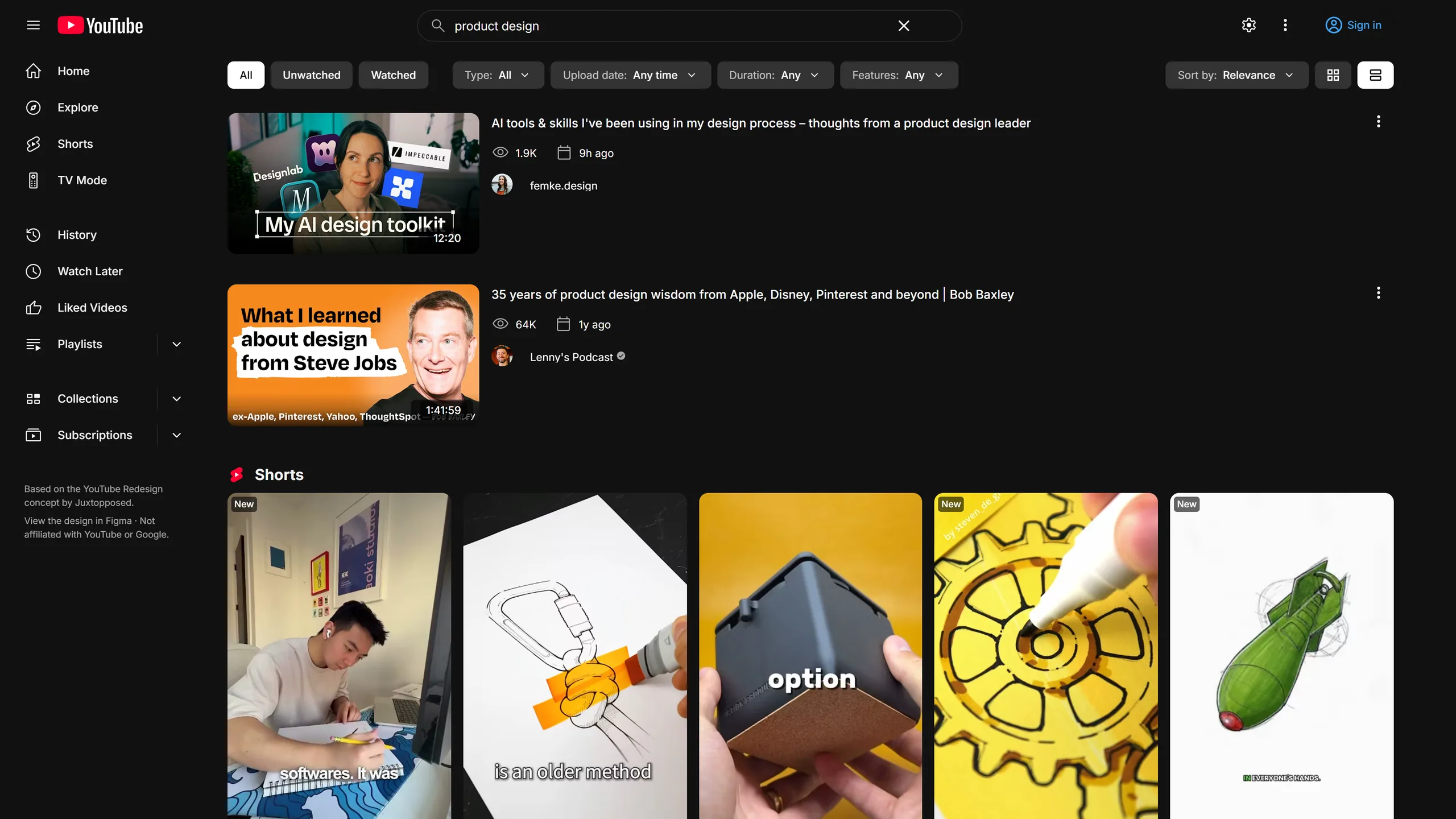
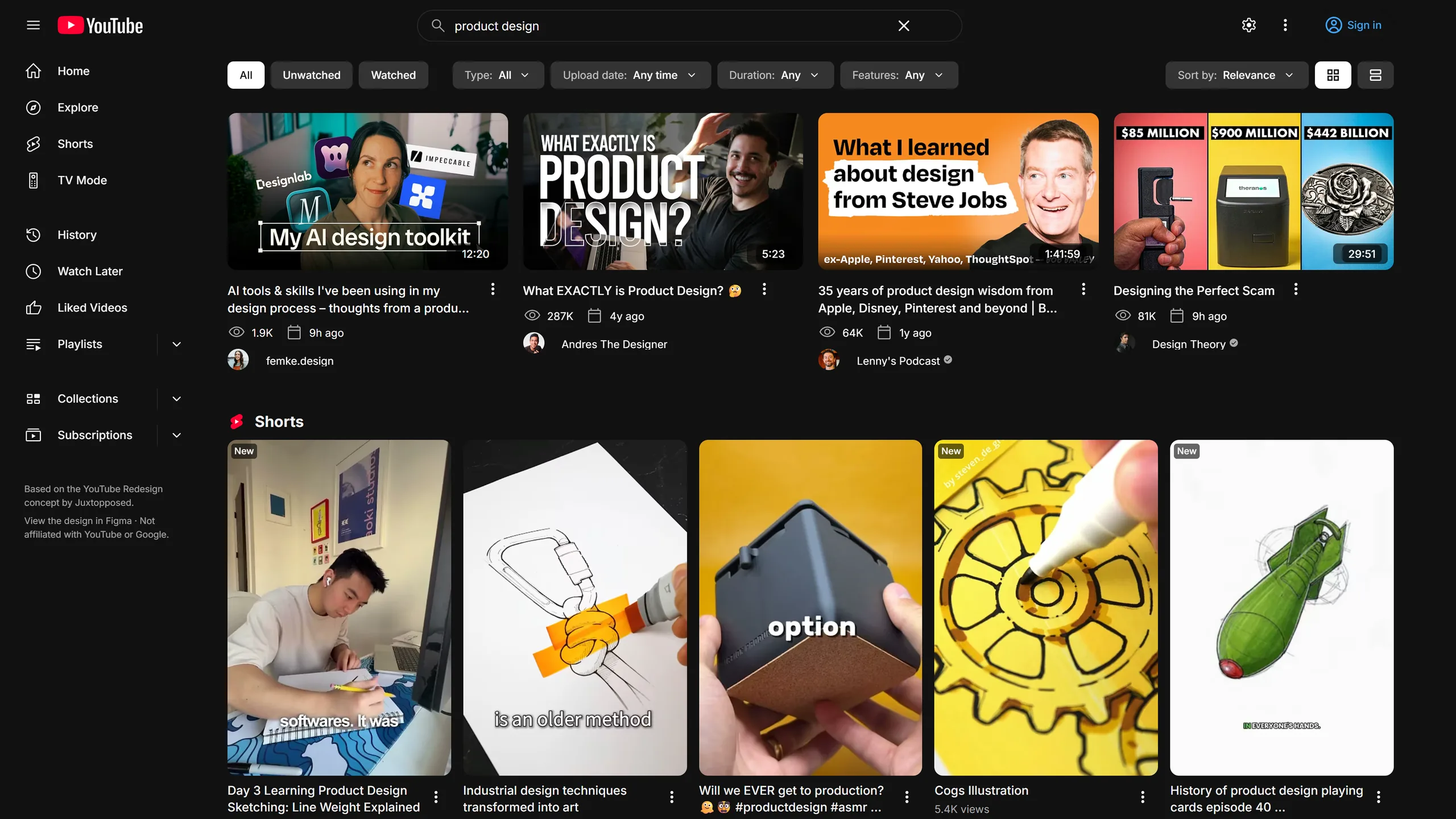
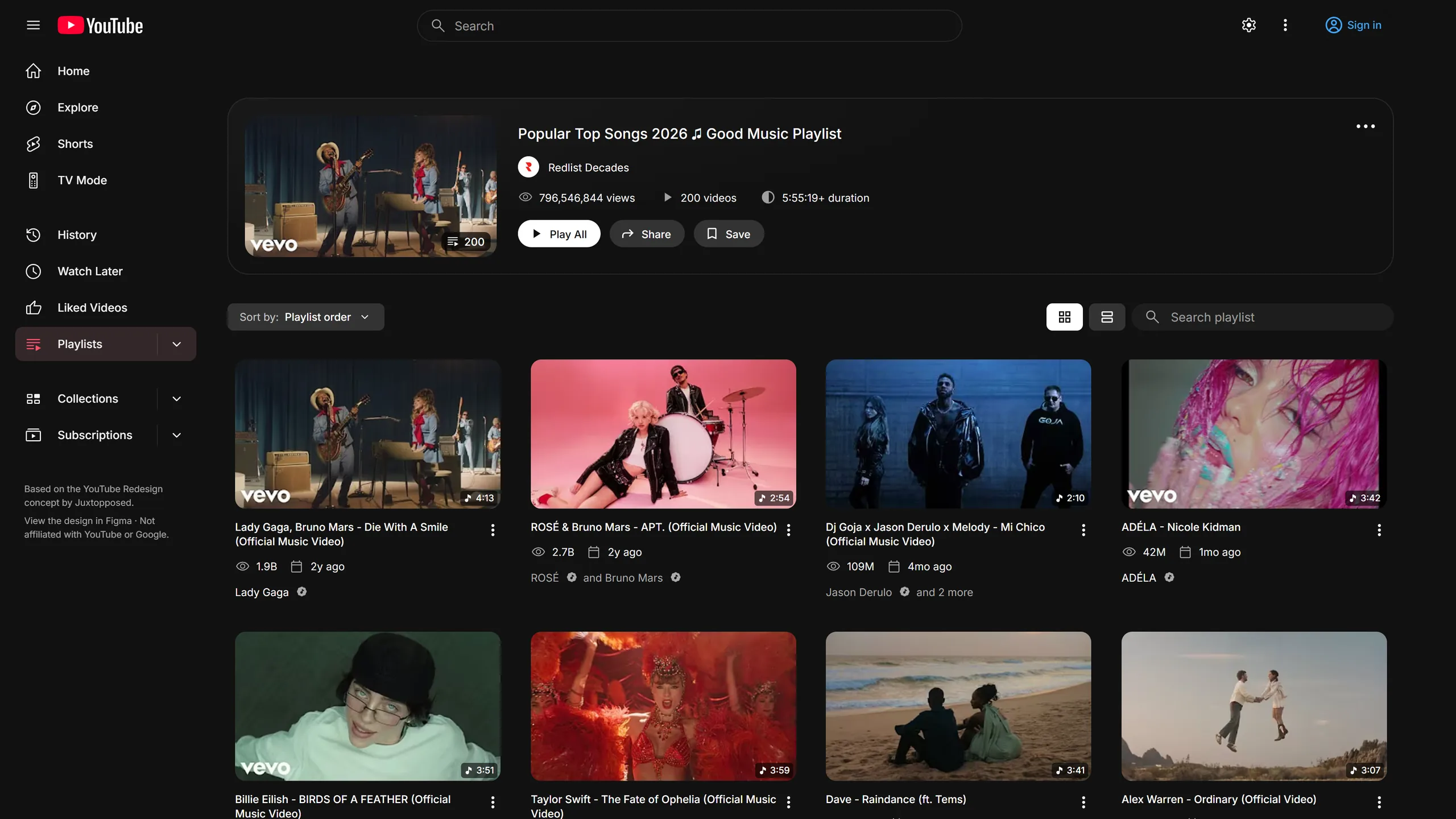
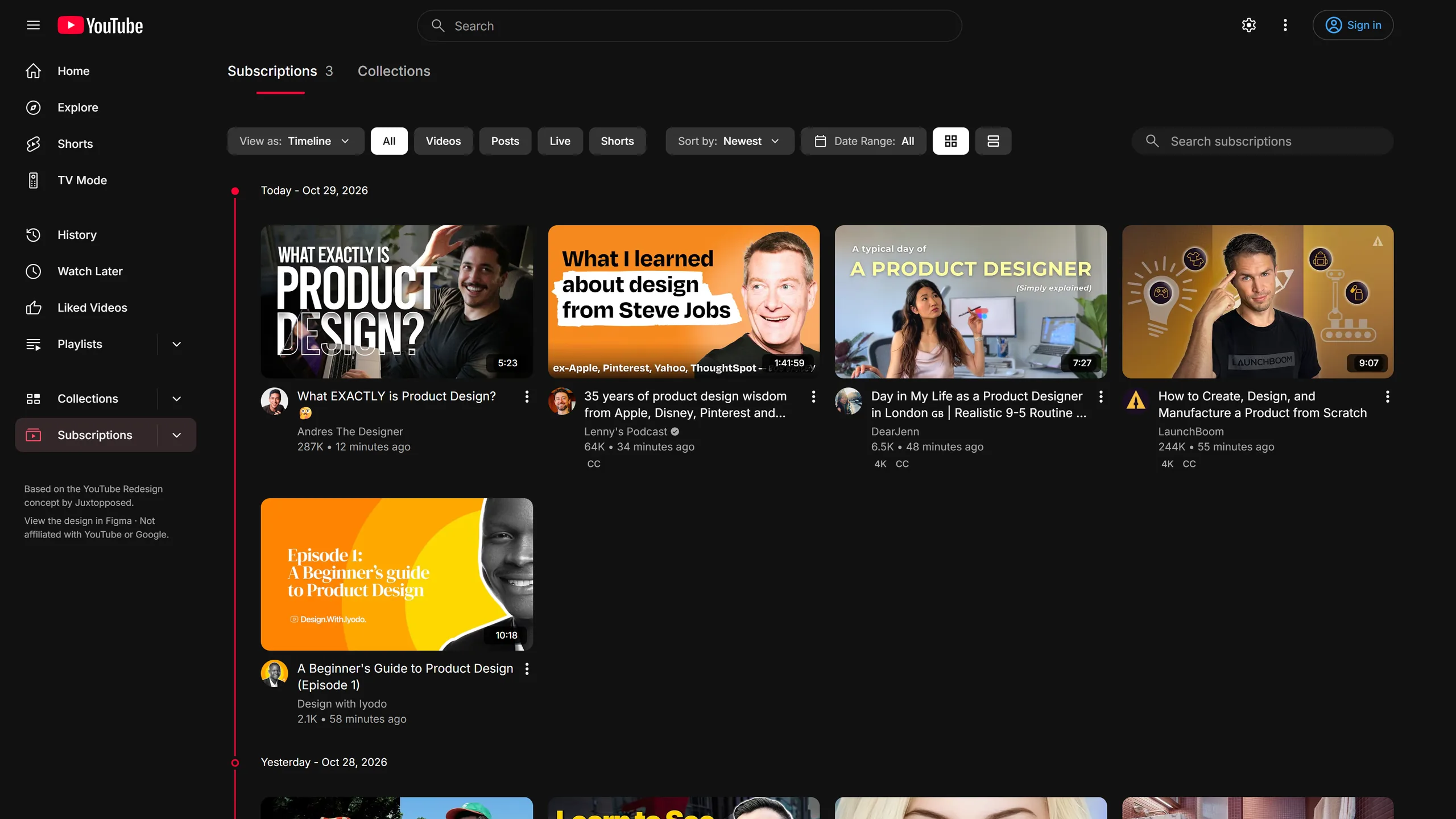
Only in Reframe · Subscriptions
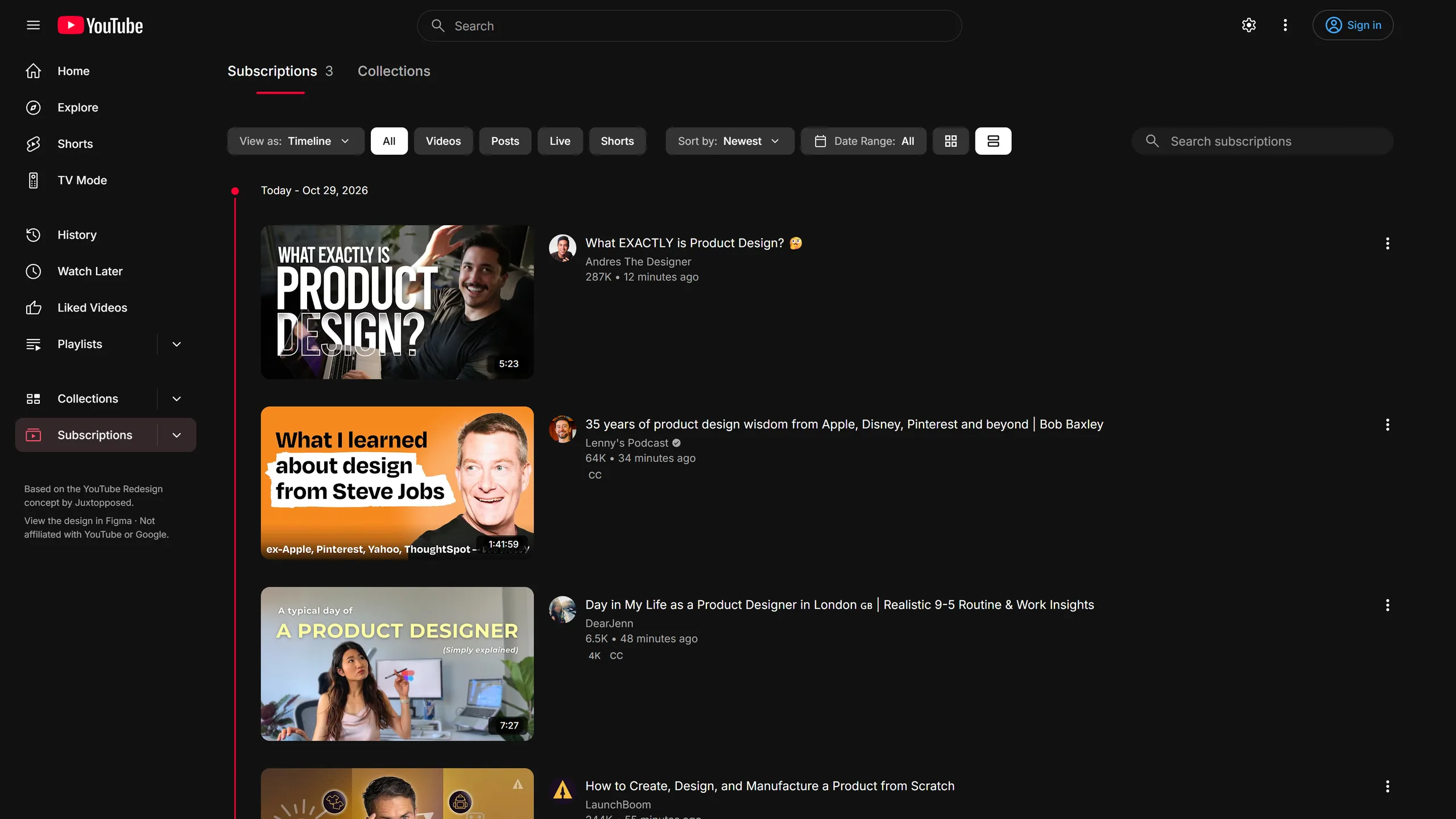
See a timeline grouped by day (Today, Yesterday, Sunday and so on), uploads by channel, or a classic feed.
Collections group your creators, show new-video counts in the sidebar, and export or import as a file.
In Case You Missed shows unwatched uploads from your subscriptions on Home.
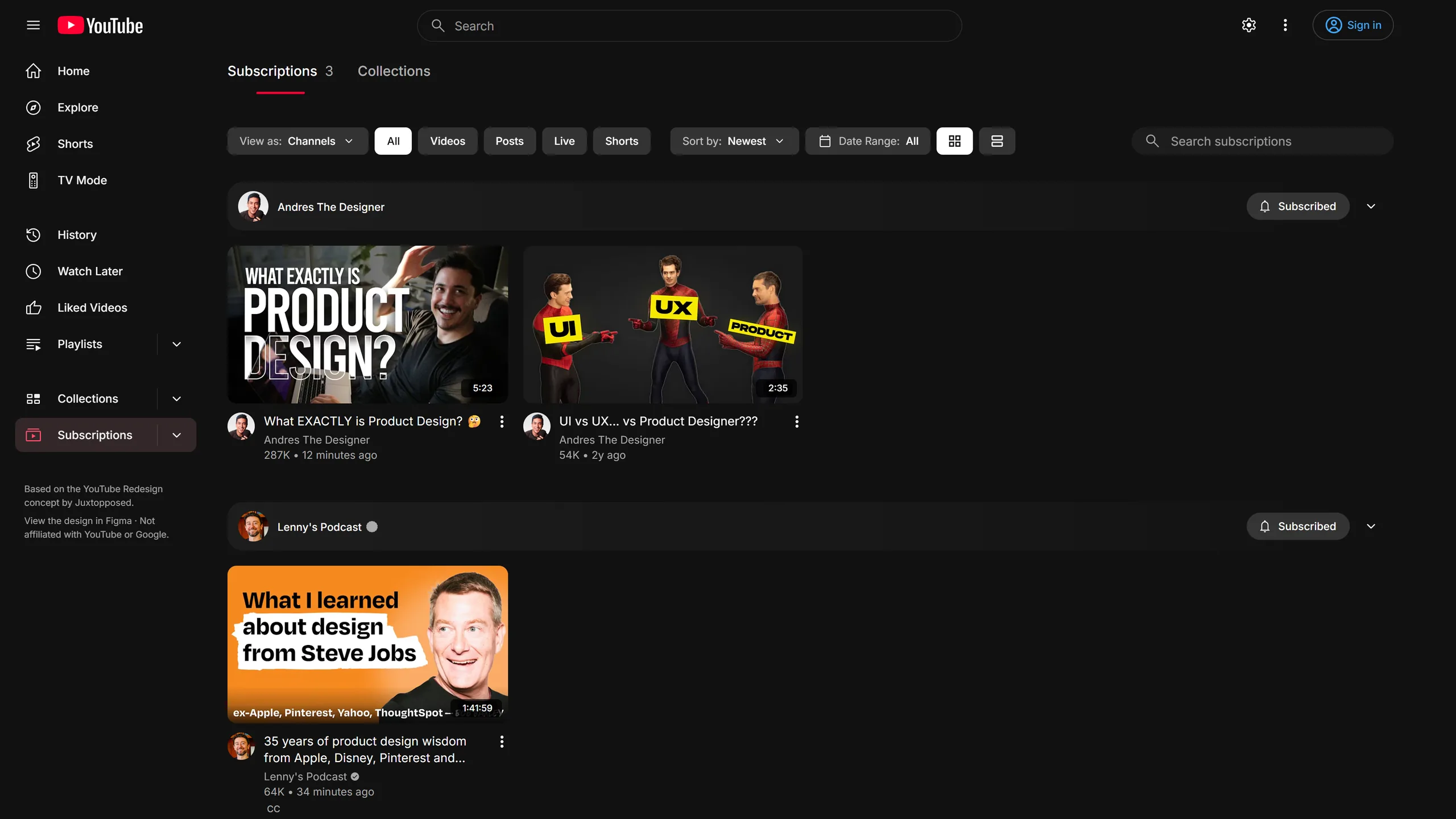
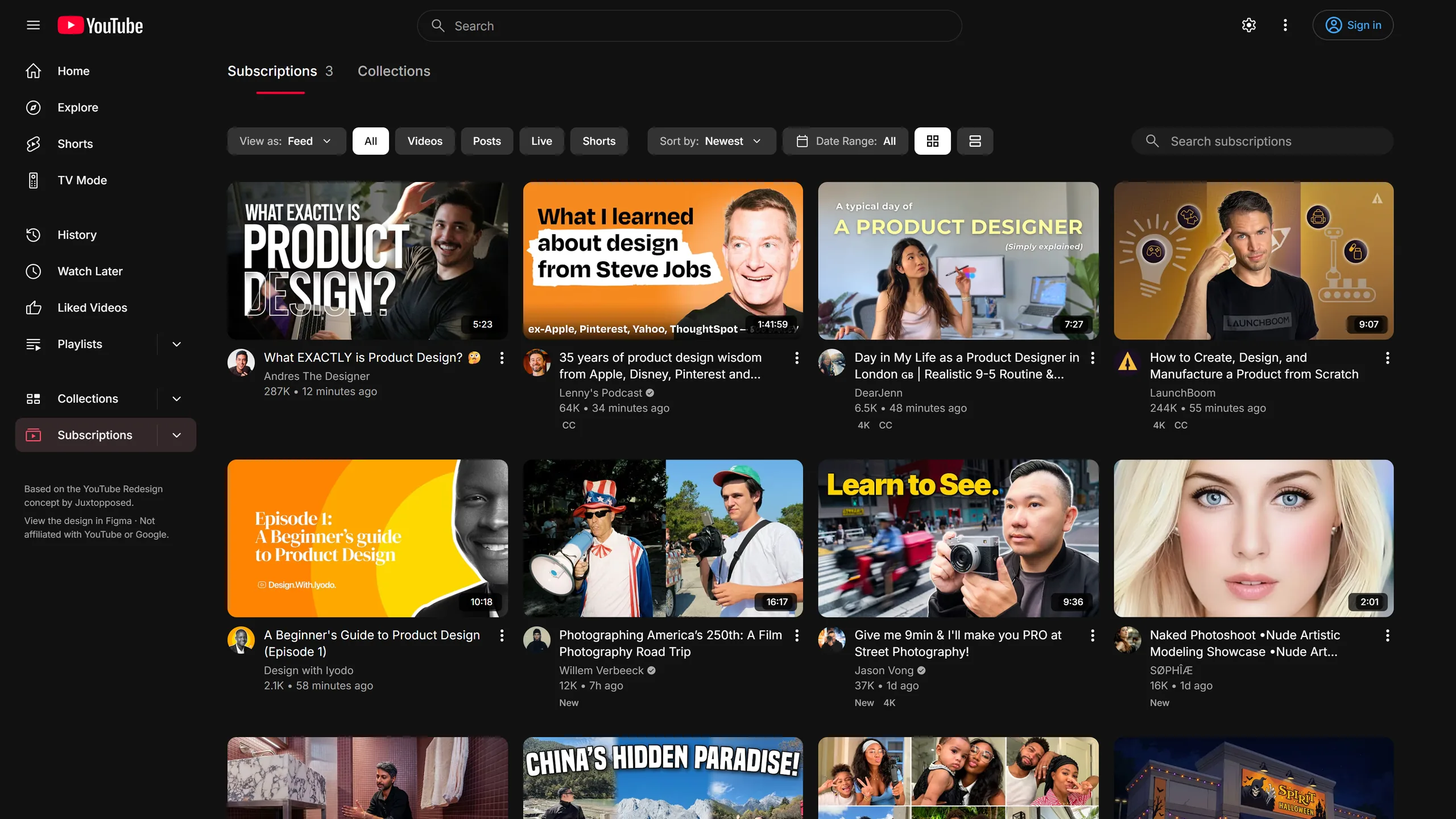
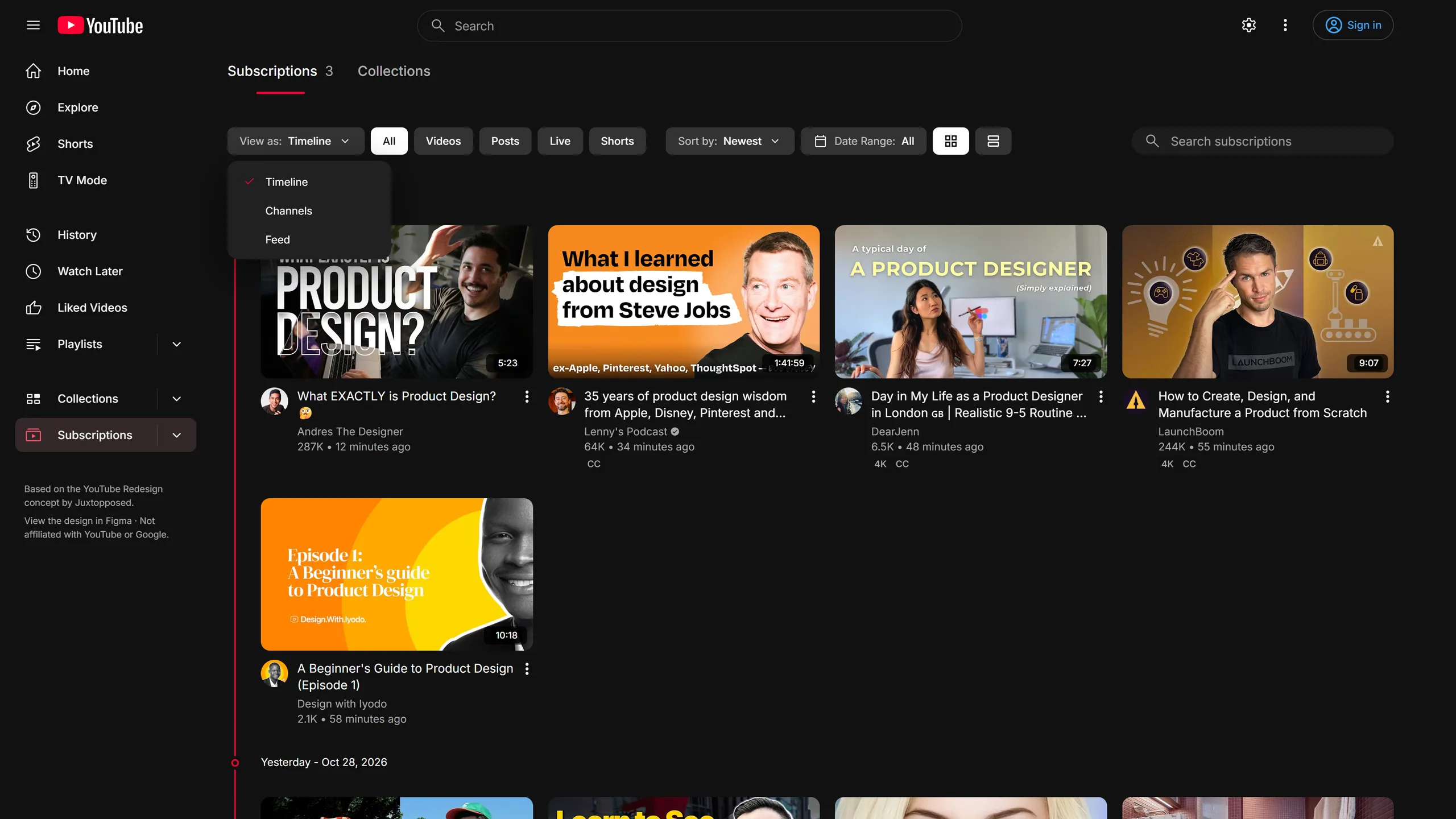
Show
AllVideosPostsLiveShortsSort
Latest activityNewestOldestRange
Date rangeOnly in Reframe · Watch Later
YouTube offers only a couple of orders. Reframe adds a sort menu with seven, plus grid and list. Watch Later also gets a Filters panel and lets you select and remove videos in a batch.
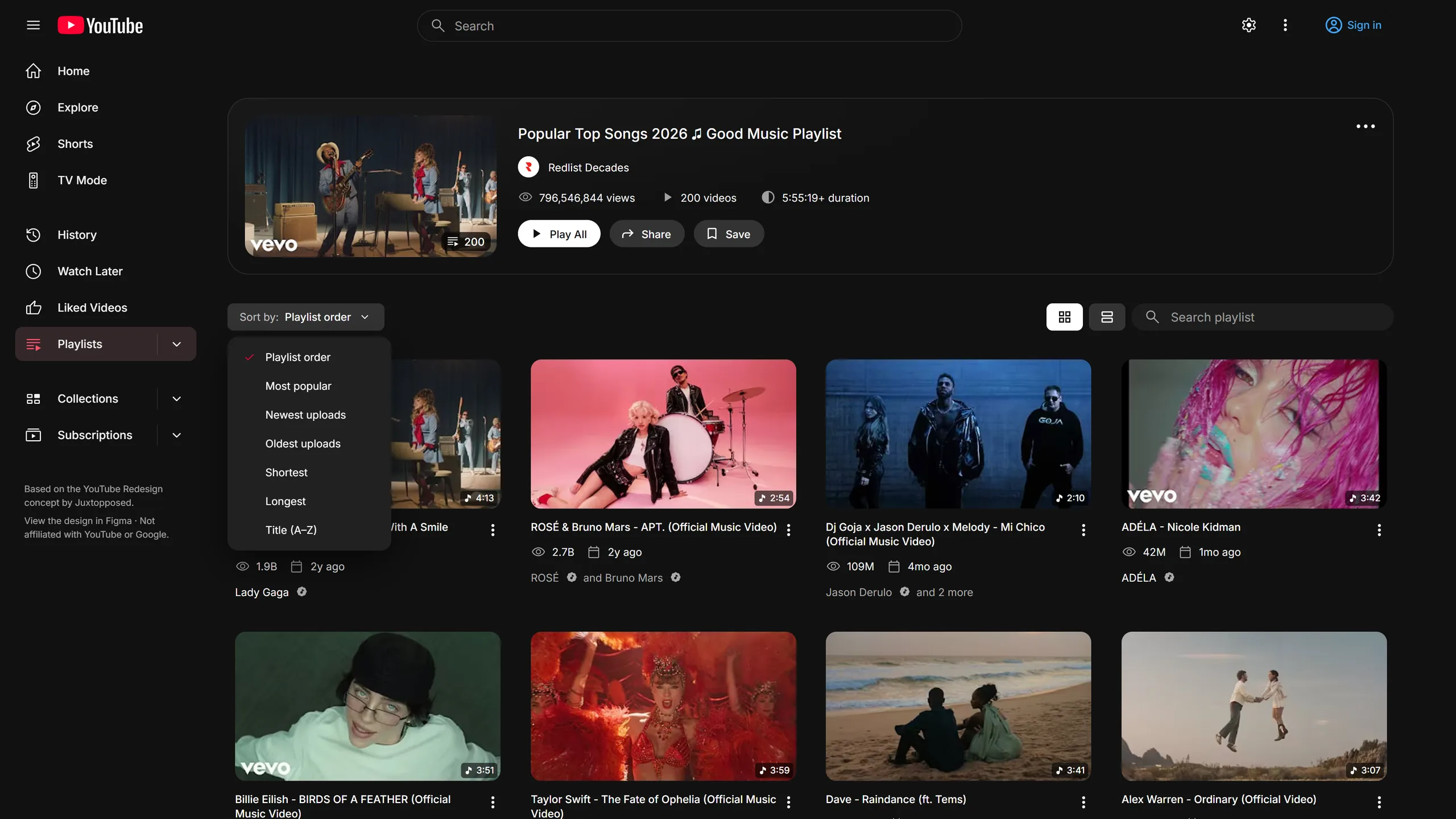
Filters in Watch Later. This is an interactive HTML mock-up of the toolbar, not a screenshot. The videos are made up, and YouTube's topic chips vary by account.
0 selected
Nothing matches this filter.
Only in Reframe · Clean-up keys
Hold Alt+Shift and press a lit key to hide or show Shorts, comments, suggestions, live chat, end screens, the description, the sidebar or the playlist. Alt+Shift+/ shows the full key map.
Click a key, or press the real shortcut while this panel is on screen.
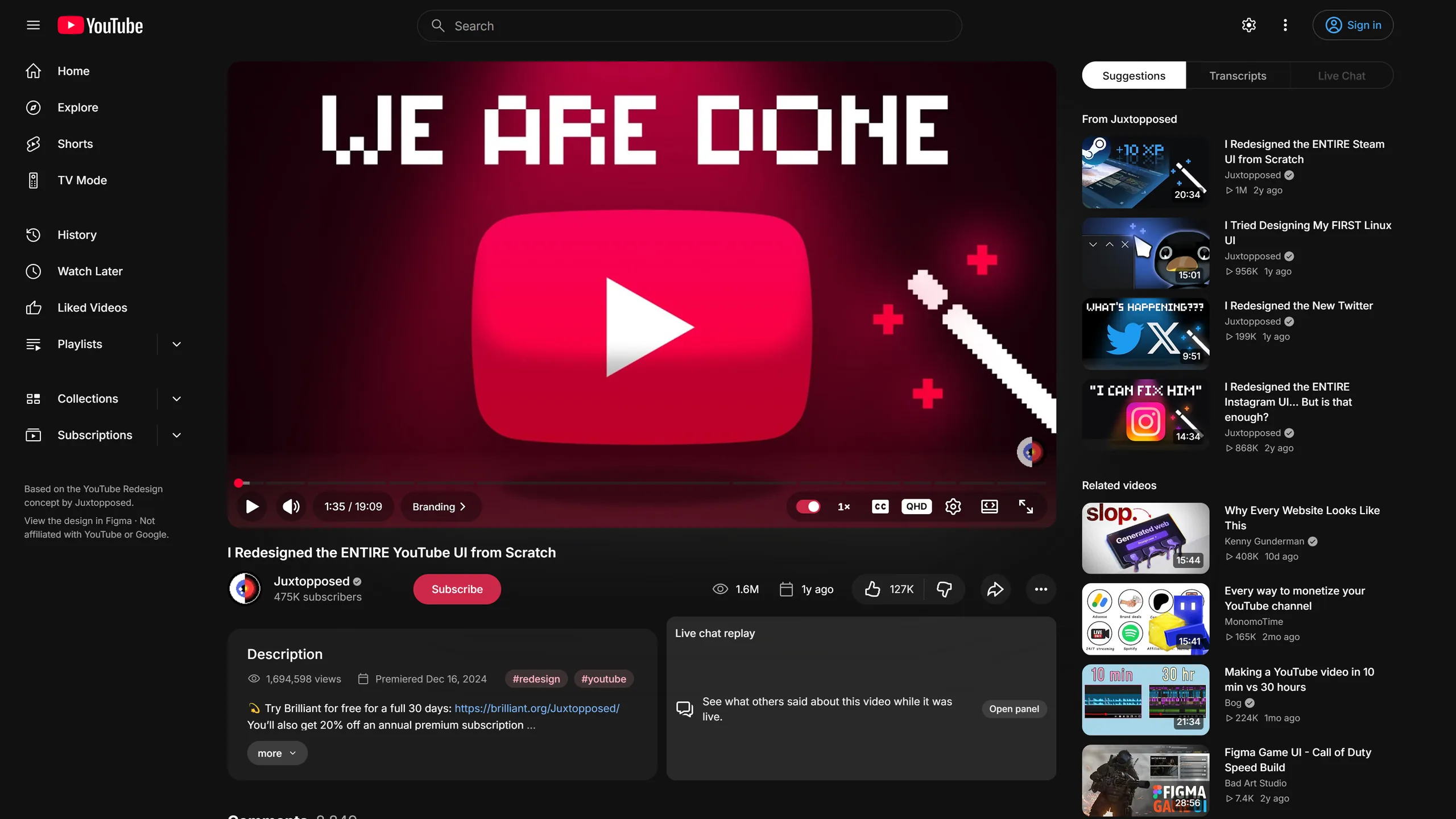
Real screenshots of Reframe, before and after each key. End screens are shown as an illustration.
And the small things
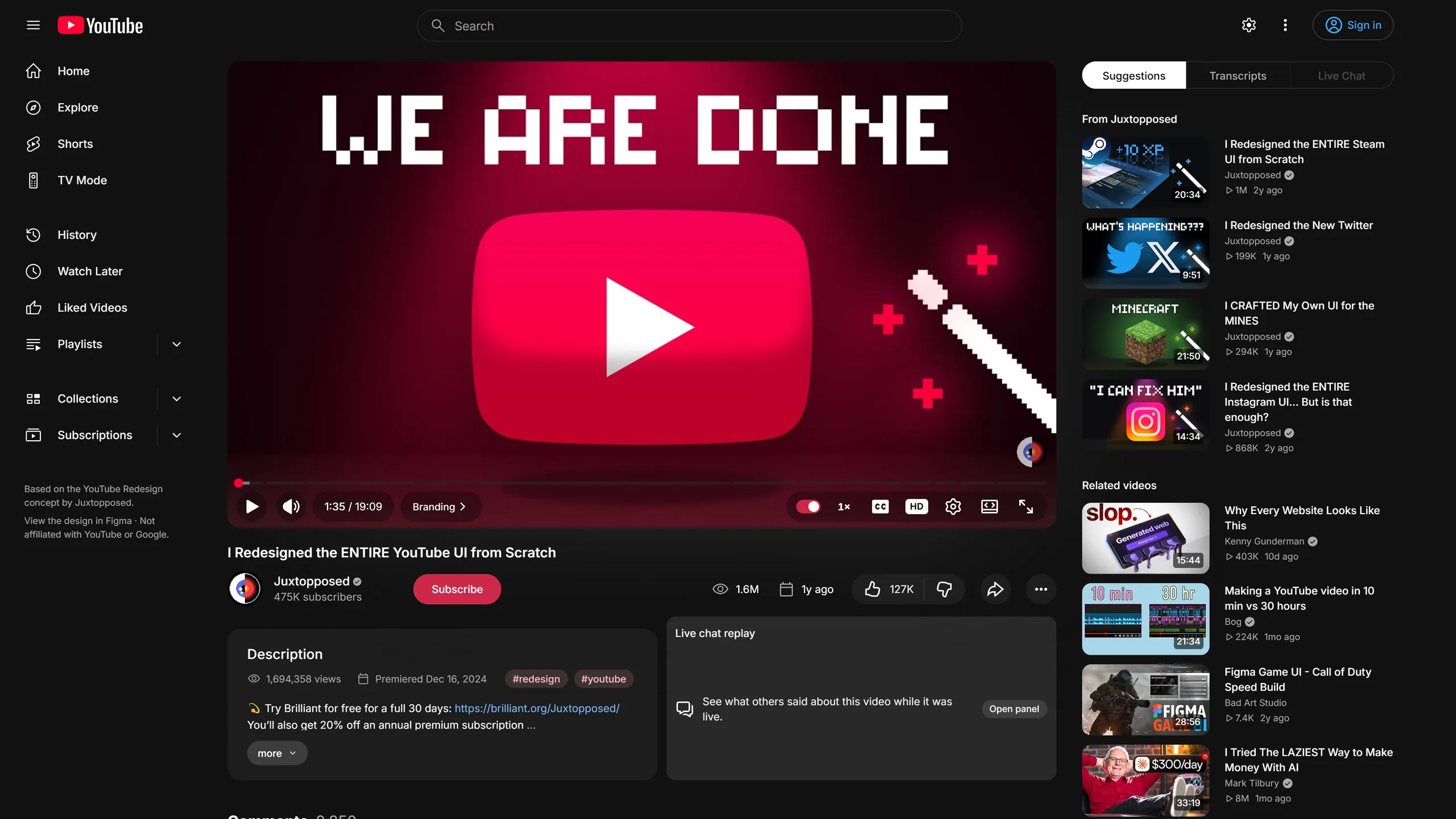
A speed menu right on the player.
It shows the quality. Click it once to change.
The video keeps playing in view while you read comments.
Save a video without opening a menu.
Suggestions, Transcripts and Live chat sit side by side.
Filter by Top, Most liked, Newest or Timed, or search the comments.
Group creators and see new-video counts in the sidebar.
Unwatched uploads from your subscriptions, on Home.
Optional, via Return YouTube Dislike, and off by default.
It follows YouTube's language, right-to-left Arabic included.
Type, date, duration and features stay visible.
Every feature has its own toggle, and one switch turns off the lot.
Part two
It's the same pages, made calmer and roomier: Home, Watch, Search, Channel, Playlist and Explore.
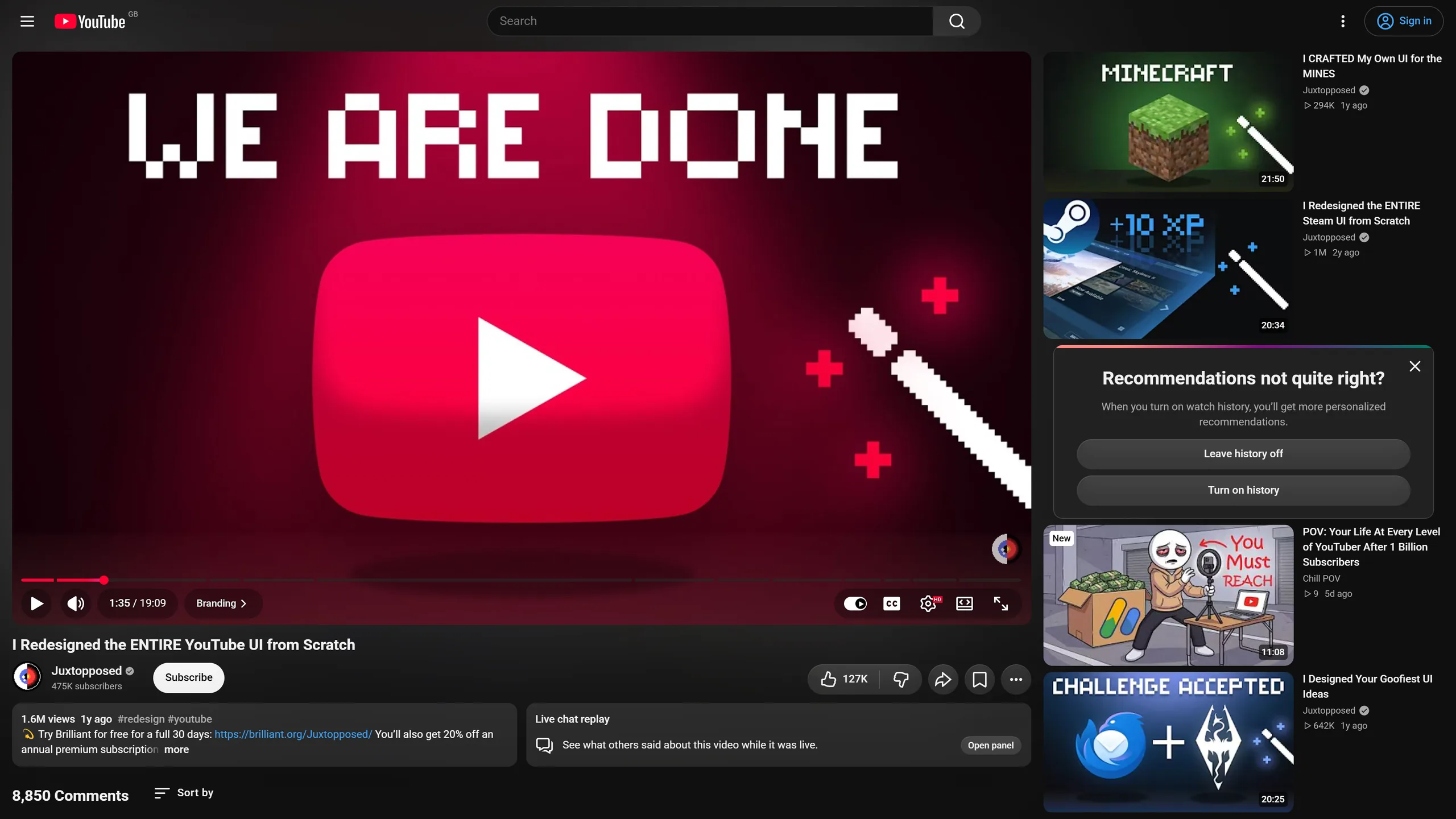
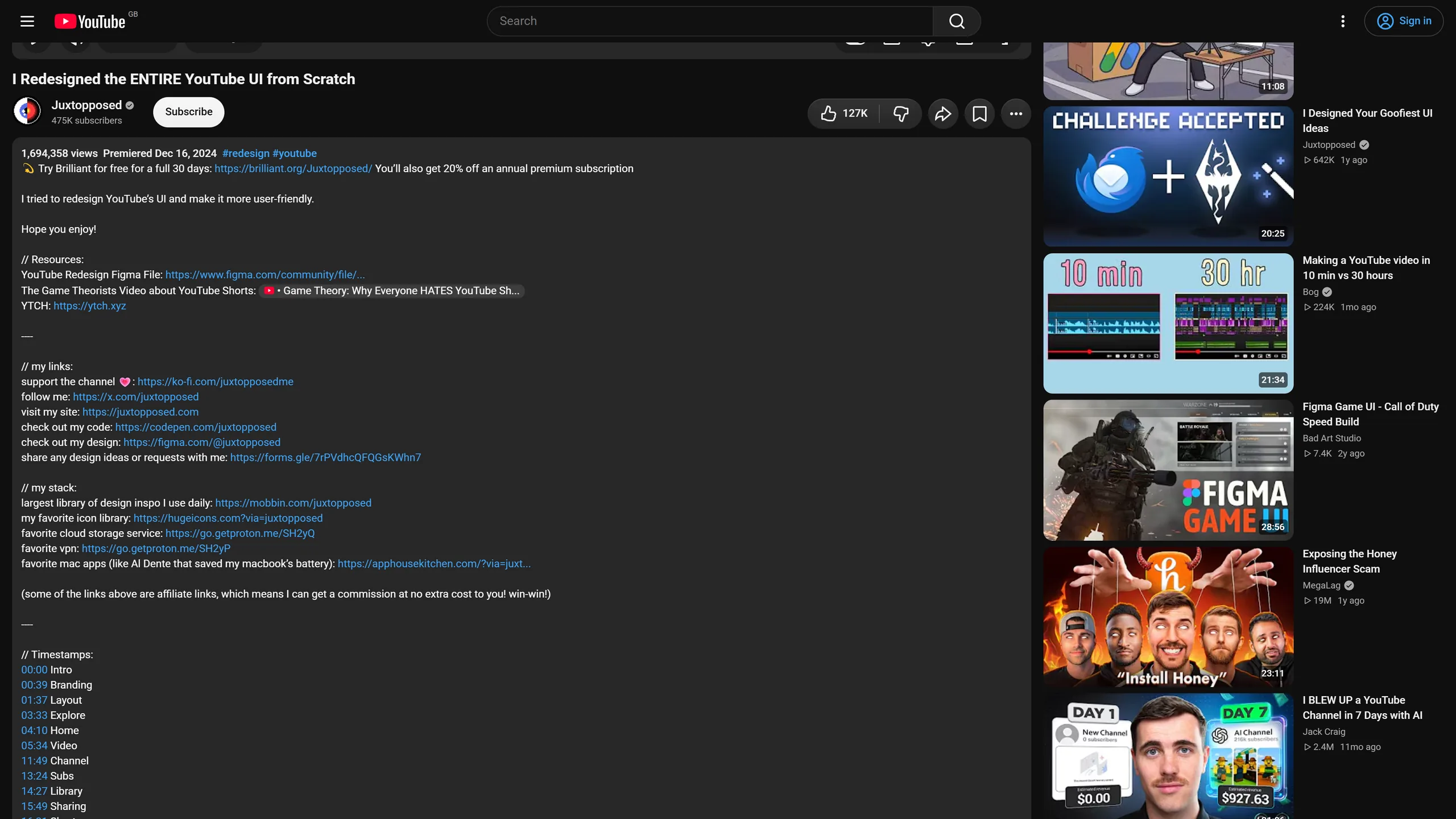
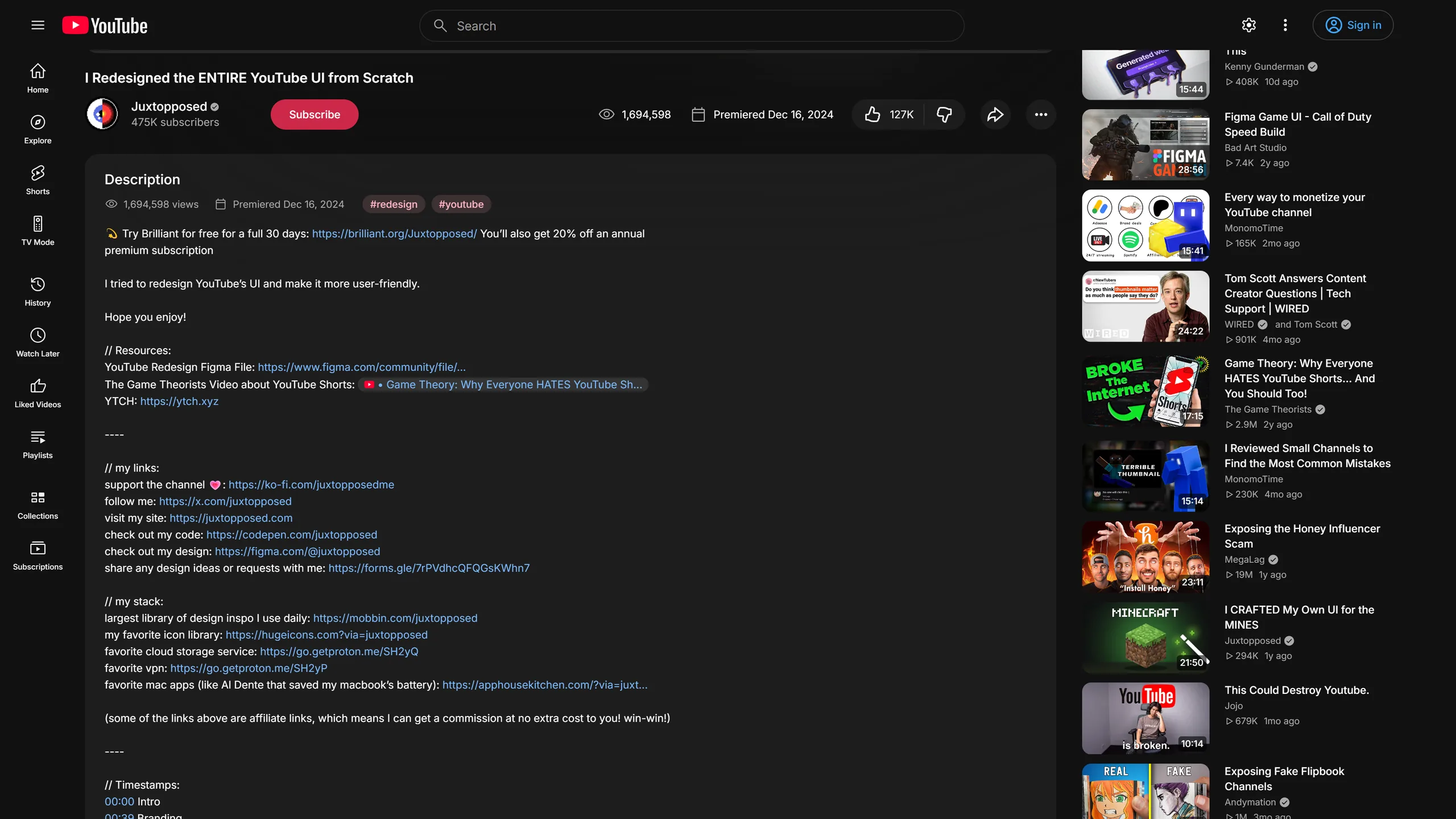
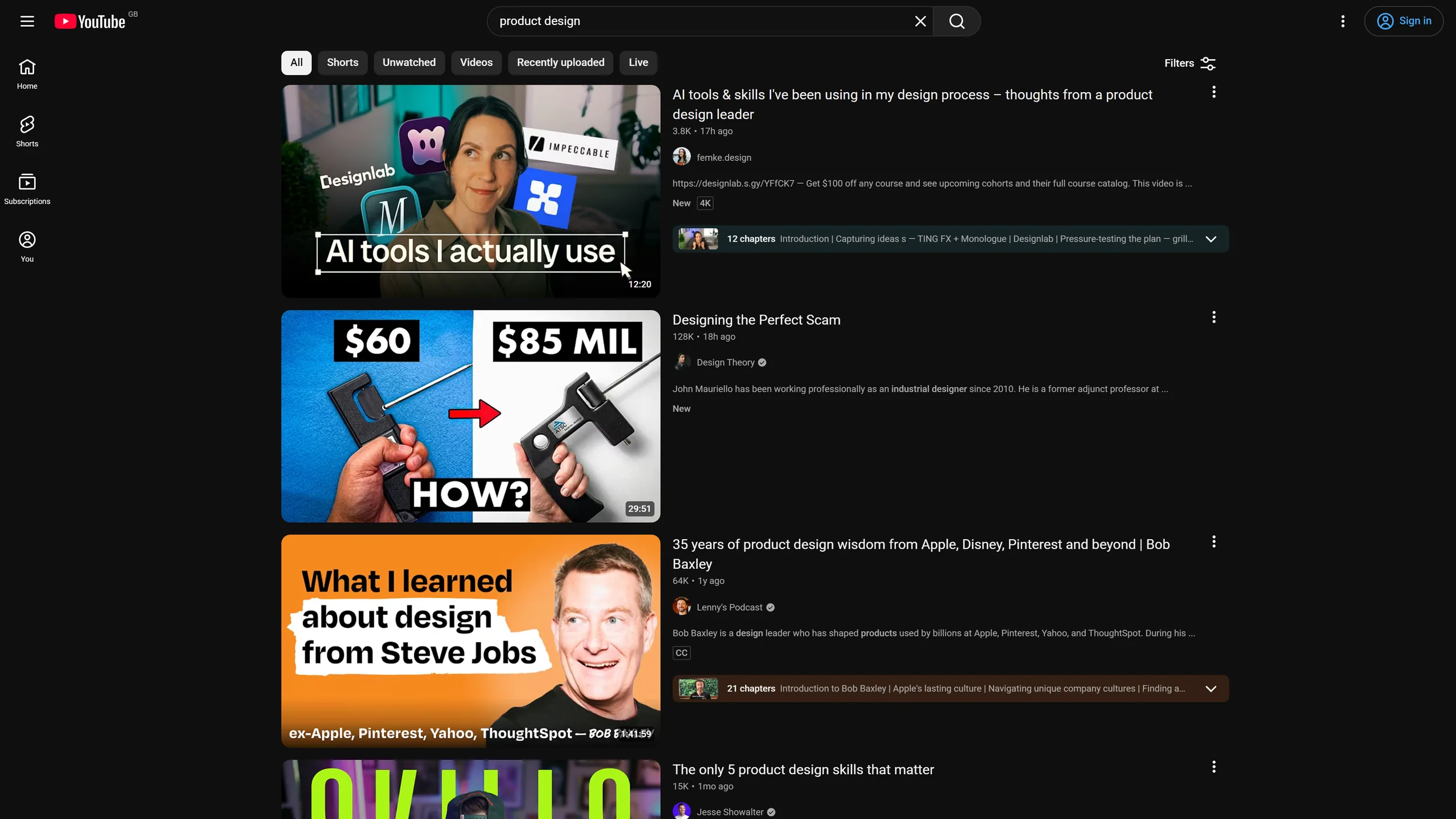
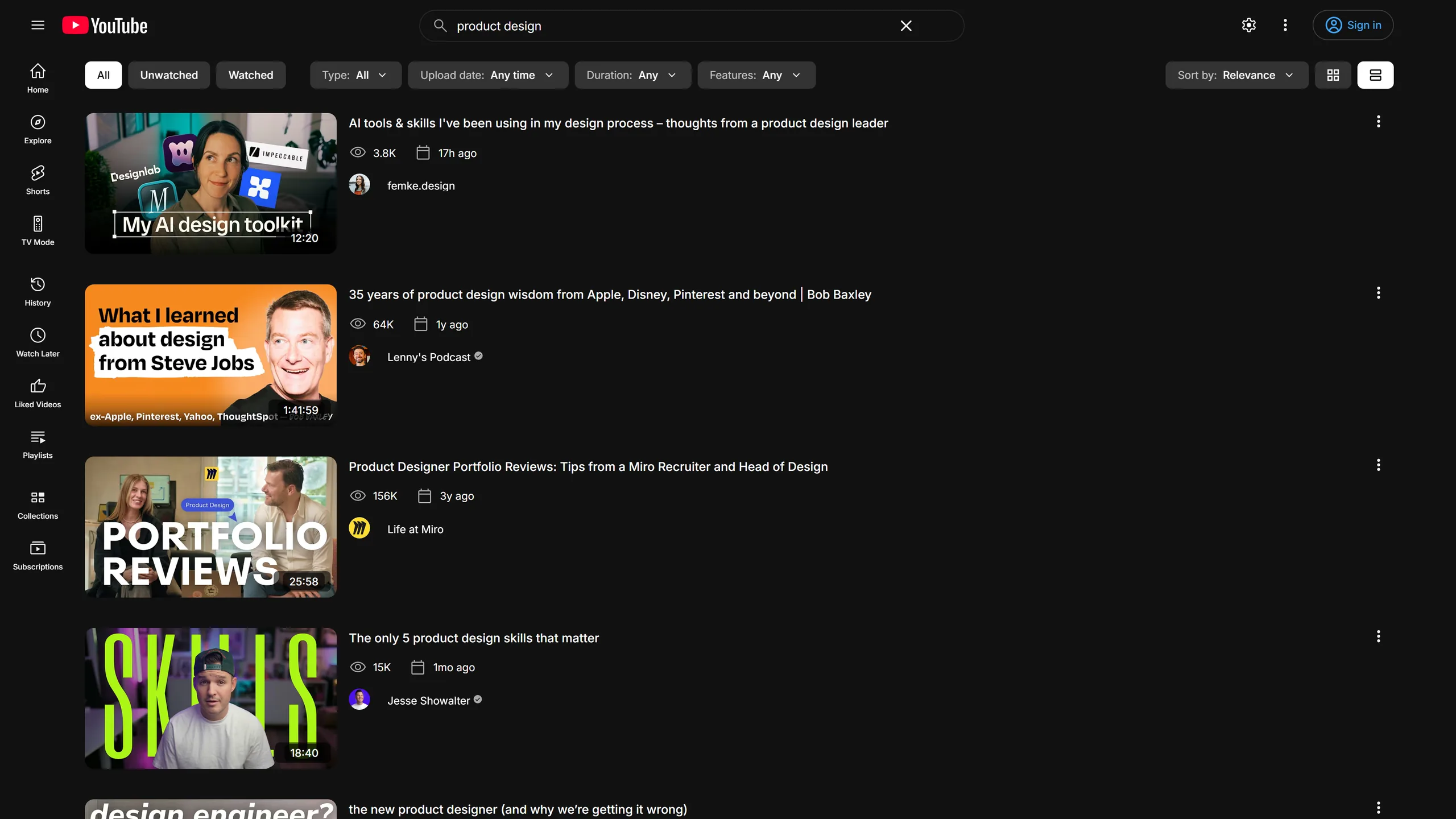
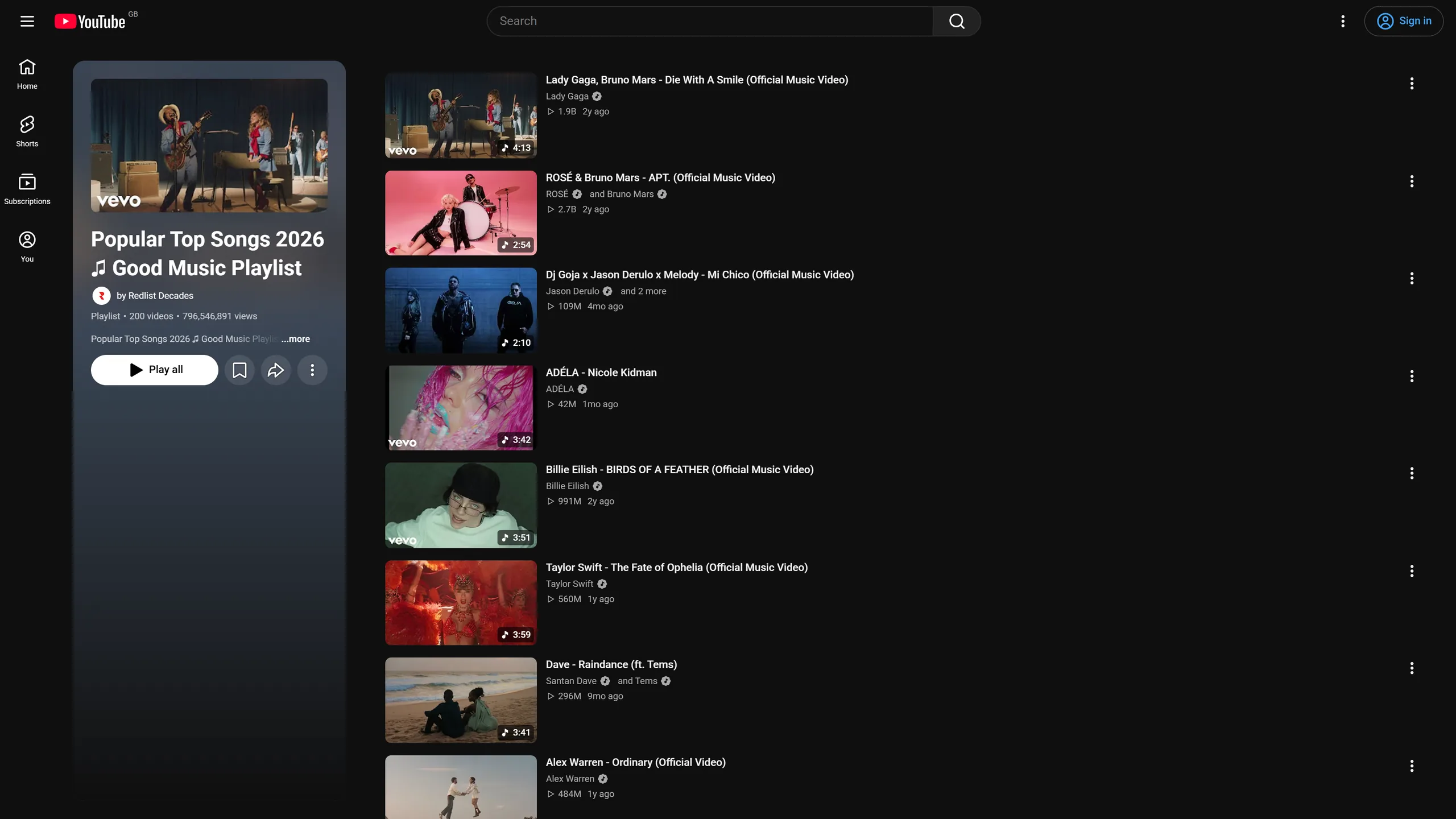
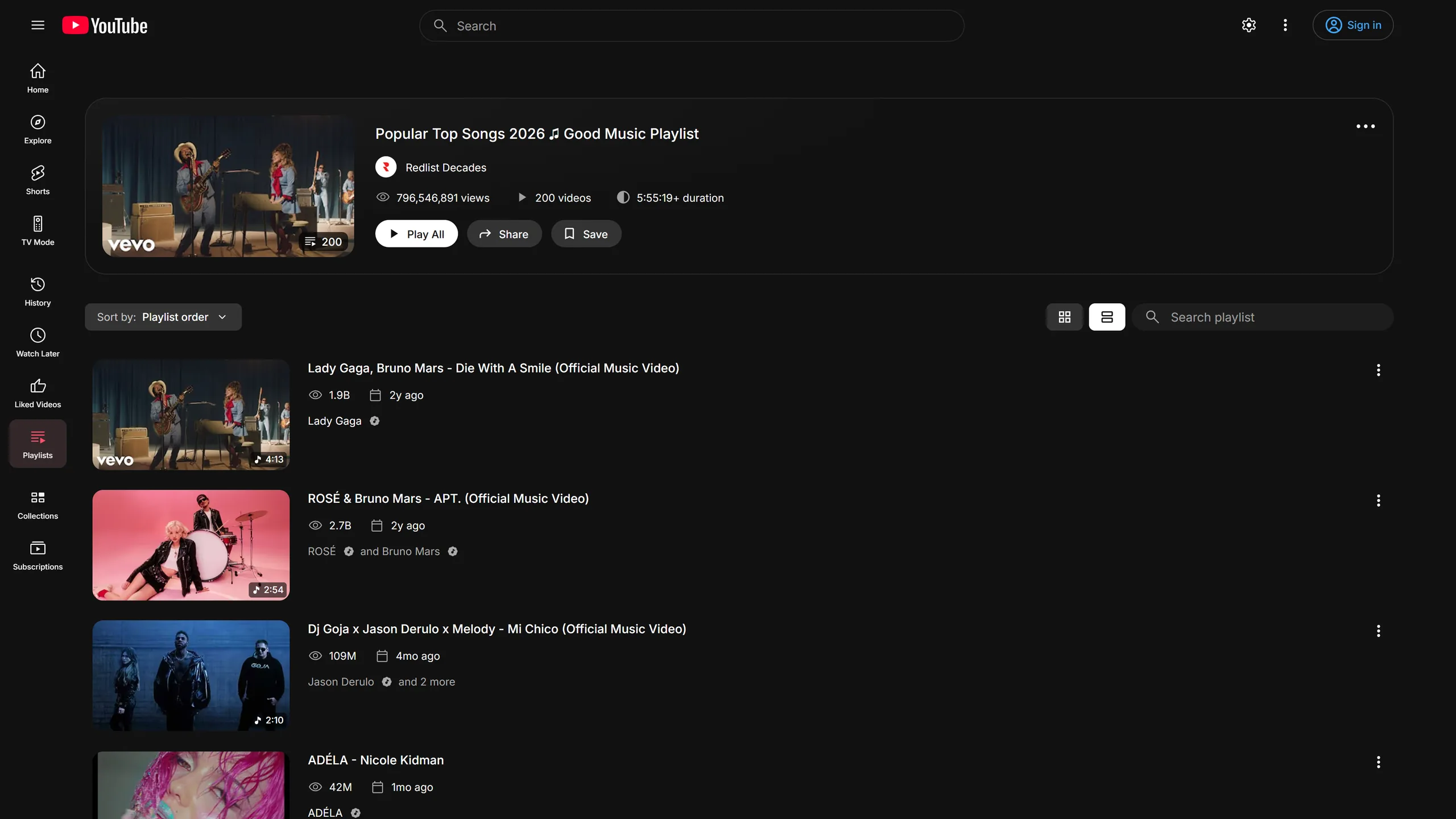
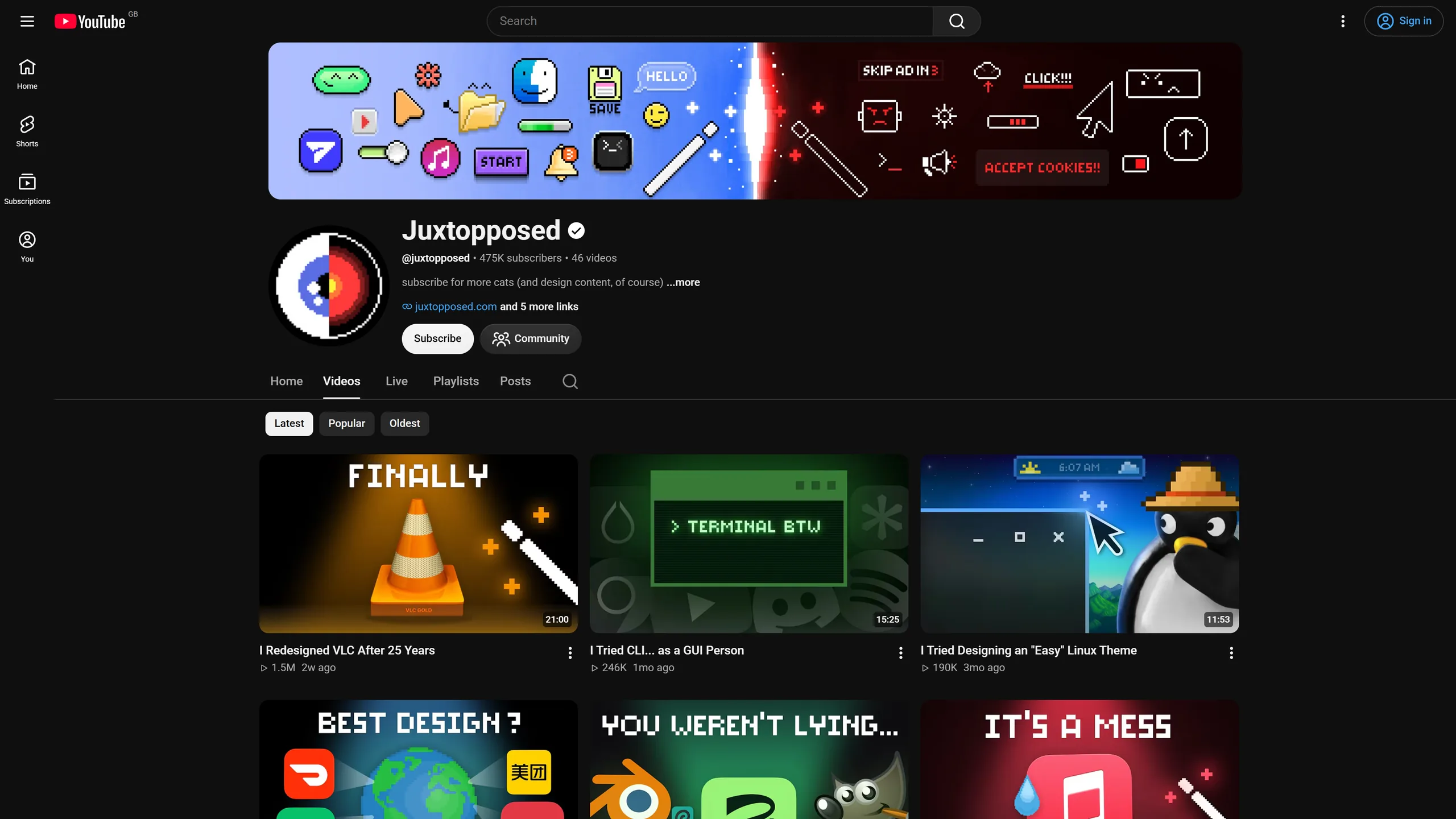
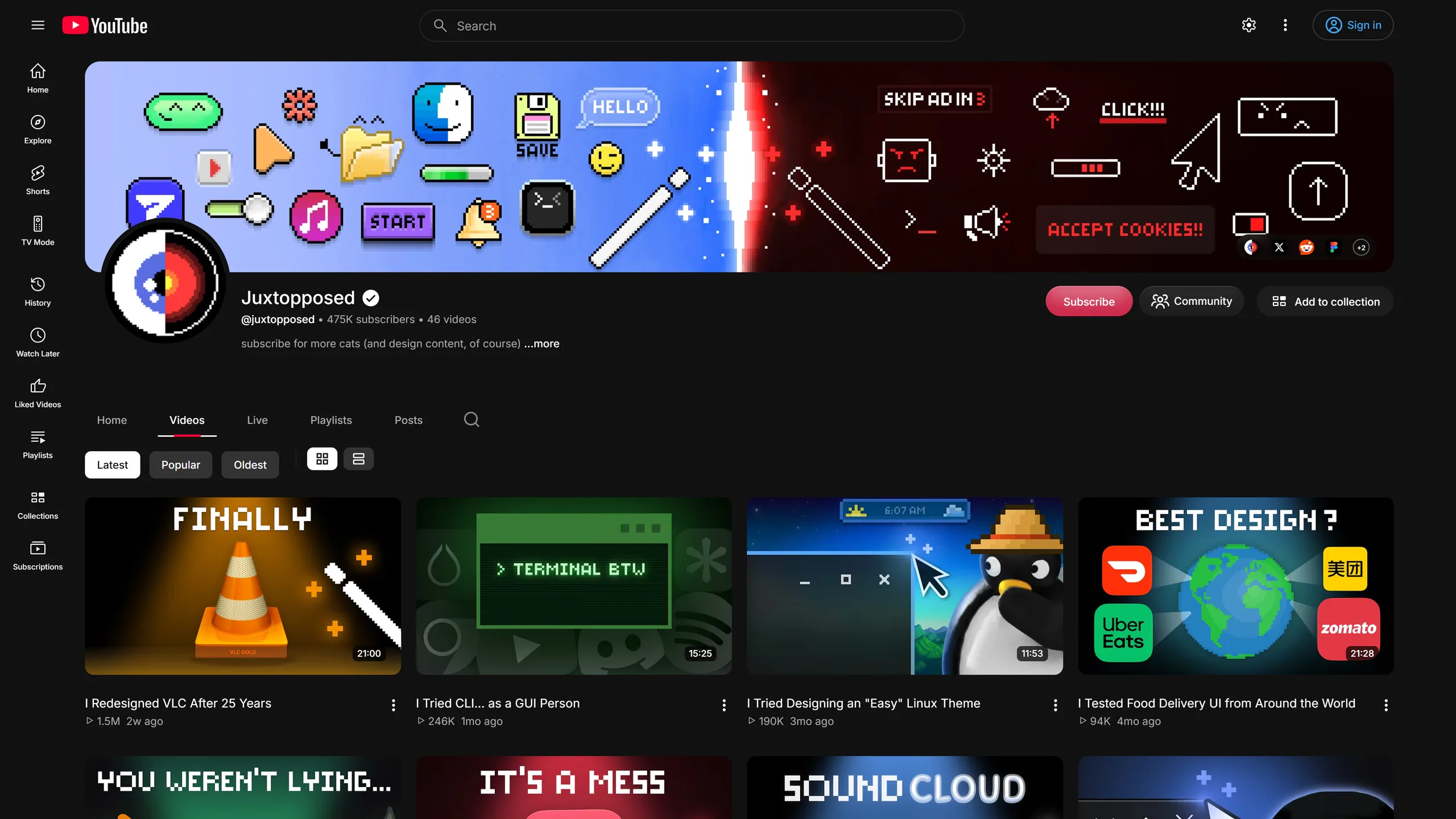
These are real captures of the same pages in YouTube's dark theme. Flip between YouTube and With Reframe.
Signed out
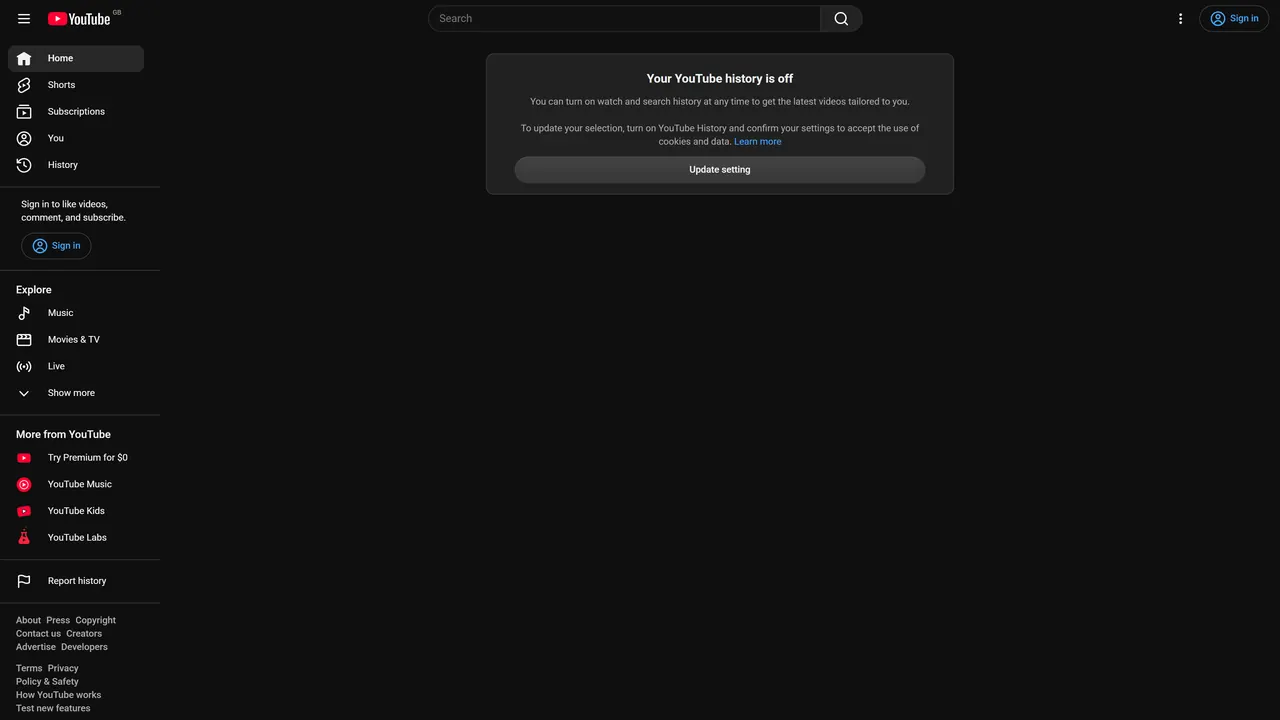
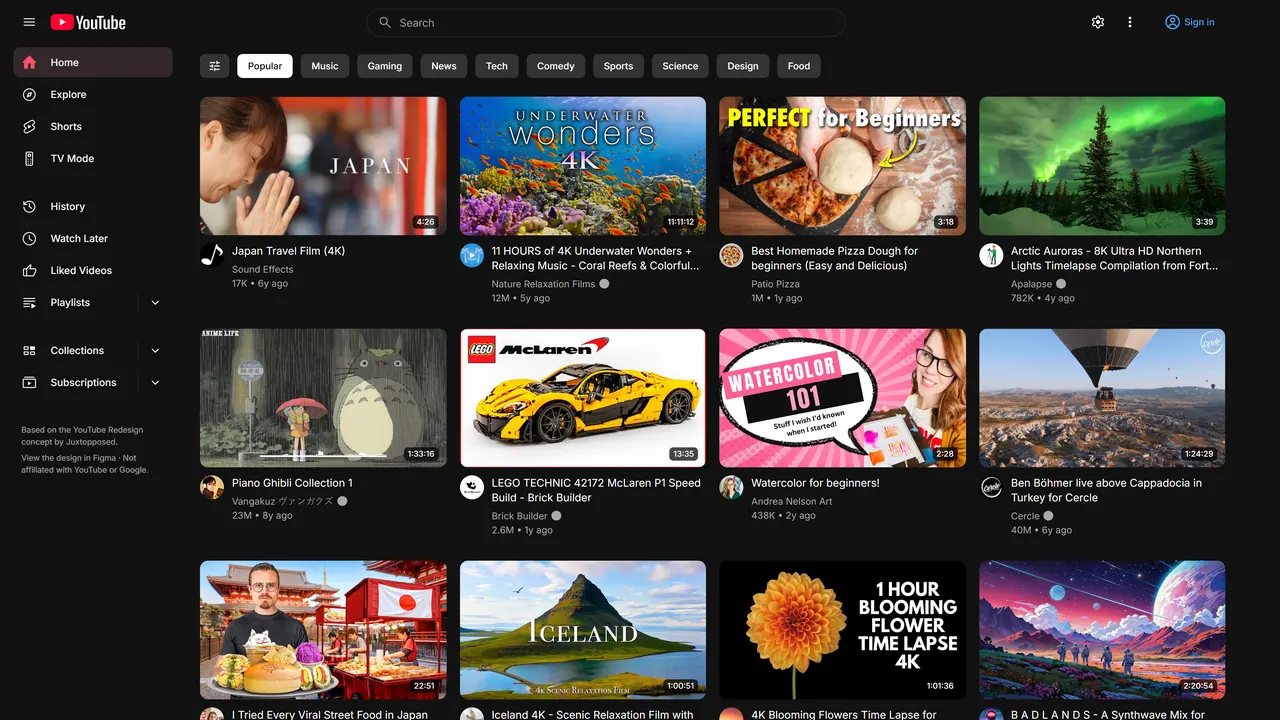
With history off, YouTube's Home is an empty page. Reframe fills it with topic chips and a full feed, so there is always something to watch.
Privacy
No account, no servers. There's nothing to sign in to and nothing to store anywhere but your browser.
No analytics, no tracking. Your settings stay on your device.
Dislike counts are opt-in. Return YouTube Dislike is off by default. When you turn it on, only public video IDs are sent, and that service can see your IP address.
FAQ
Yes. You add it to Chrome from the Chrome Web Store at no cost, and you don't need an account.
It works in Chrome and in other Chromium browsers such as Brave, Edge and Arc. You install it from the Chrome Web Store, and it runs only on www.youtube.com.
No. Reframe works on your own YouTube account, so your subscriptions, recommendations and history stay the same.
Nothing. There are no servers, no analytics and no tracking, and your settings stay on your device. The only permission it asks for is storage. You can read more in the privacy policy.
They come from Return YouTube Dislike. It's optional and off by default. When it's on, only public video IDs are sent, and that service can see your IP address. It uses an optional permission for returnyoutubedislikeapi.com.
Yes. Every feature has its own toggle in the popup, and you can turn the whole redesign off in one click.
PlayStation, Xbox and Switch Pro controllers, as well as the keyboard. Alt+Shift+T turns TV Mode on and off.
It speaks 18 languages and follows YouTube's interface language, including right-to-left Arabic.
No. Reframe is an independent project, and it isn't made, endorsed or sponsored by Juxtopposed, YouTube or Google. Its design is based on the YouTube Redesign concept by Juxtopposed.
Use the Support tab on the Chrome Web Store listing.

It's free, 629 KiB, and takes one click to try and one click to turn off.
Add to ChromeIt's freeVersion 1.0.26 · Functionality & UI · Chrome, Brave, Edge, Arc